Crumbs & Glazes
Transforming a Homegrown Dessert Brand into a Premium Digital Commerce Experience
Overview
Crumbs & Glazes is a Bengaluru-based premium dessert brand specializing in handcrafted tiramisu. As the business grew, relying on Instagram and WhatsApp for customer discovery, product information, inventory visibility, and order management became increasingly difficult.
The goal was to build a premium digital experience that reflected the brand while making the customer journey from discovery to ordering simple and seamless. Instead of a generic e-commerce website, the platform was designed around the brand's existing workflow with scalability in mind.
The platform has since evolved into a complete commerce and store management system. The customer-facing storefront is supported by a full backend and admin dashboard for managing products, collections, categories, add-ons, inventory, raw stock, orders, invoices, proformas, sales, expenses, taxes, store availability, homepage content, and administrative operations from one centralized system.
Business Problem
The business was experiencing a common challenge faced by many growing homegrown food brands. The product quality was premium. The customer experience was not.
Product Discovery Friction
Customers had difficulty exploring the complete product catalog. Information like available flavours, sizes, pricing, ingredients, and dietary info was spread across chats and social posts.
Repetitive Customer Queries
The same questions were answered repeatedly: Is it vegetarian? Is it alcohol free? What sizes are available? Do you deliver? This consumed valuable time.
Lack of Brand Storytelling
There was no dedicated platform explaining the craftsmanship, ingredient quality, brand values, and product uniqueness. The digital experience undersold the actual quality.
Scaling Challenges
As order volume increased, manually handling every customer interaction would eventually become a bottleneck. A structured ordering experience was required.
Understanding the Business
Before designing screens or writing code, I spent time understanding how the business actually operated. A few important insights emerged.
Existing Workflows Needed Structure
The business was initially managing orders through WhatsApp conversations. As order volume and operational requirements increased, this approach became difficult to maintain. The platform needed to move beyond order collection and provide a structured system for managing the complete order lifecycle.
Operations Were Becoming More Complex
Managing products was only one part of the workflow. Store availability, inventory, collections, orders, invoices, taxes, add ons, product badges, and administrative access all required centralized controls.
The System Needed to Support Both Online and Offline Orders
The business required flexibility to handle orders generated through the website as well as offline orders. This influenced the design of the order, inventory, and invoice management workflows.
Simplicity Would Drive Adoption
The owner needed a system that was simple to operate and maintain. The backend was therefore designed around clear modules and focused workflows, allowing day to day operations to be managed without unnecessary complexity.
Design Strategy
The design approach focused on creating a premium, minimal, and product-centric experience. The objective was to make the desserts the hero of every screen.
Visual Identity
Background
#FFFEF6
Product Headlines
#1A1A2E
Brand Accent
#004AAD
Brand Highlight
#FFE600
Supporting Content
#4A5565
Footer
#333333
Typography
Roboto Condensed , chosen for its strong readability, premium appearance, excellent hierarchy, and efficient use of screen space. Its condensed structure allowed product names and content to remain impactful without overwhelming the layout.
Dynamic Home Page
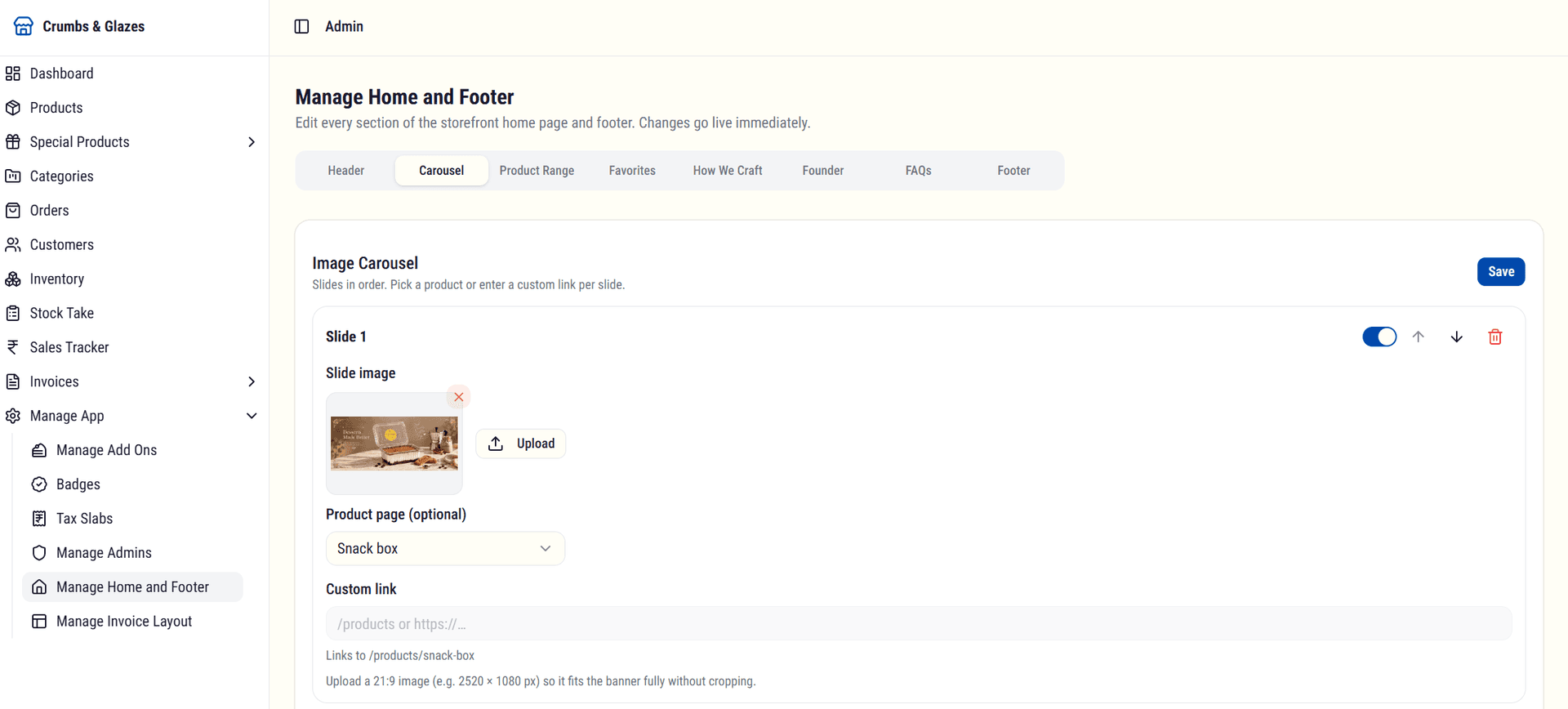
The storefront home page was revamped into a fully dynamic experience. The carousel, product range, favorites, craft story, founder, FAQs, header, and footer are all managed from the admin panel, and every change goes live immediately without code deploys.

The owner can manage header shortcuts, dropdown menus, and the logo, edit each home section individually, and update everything in the footer.
Commerce Experience
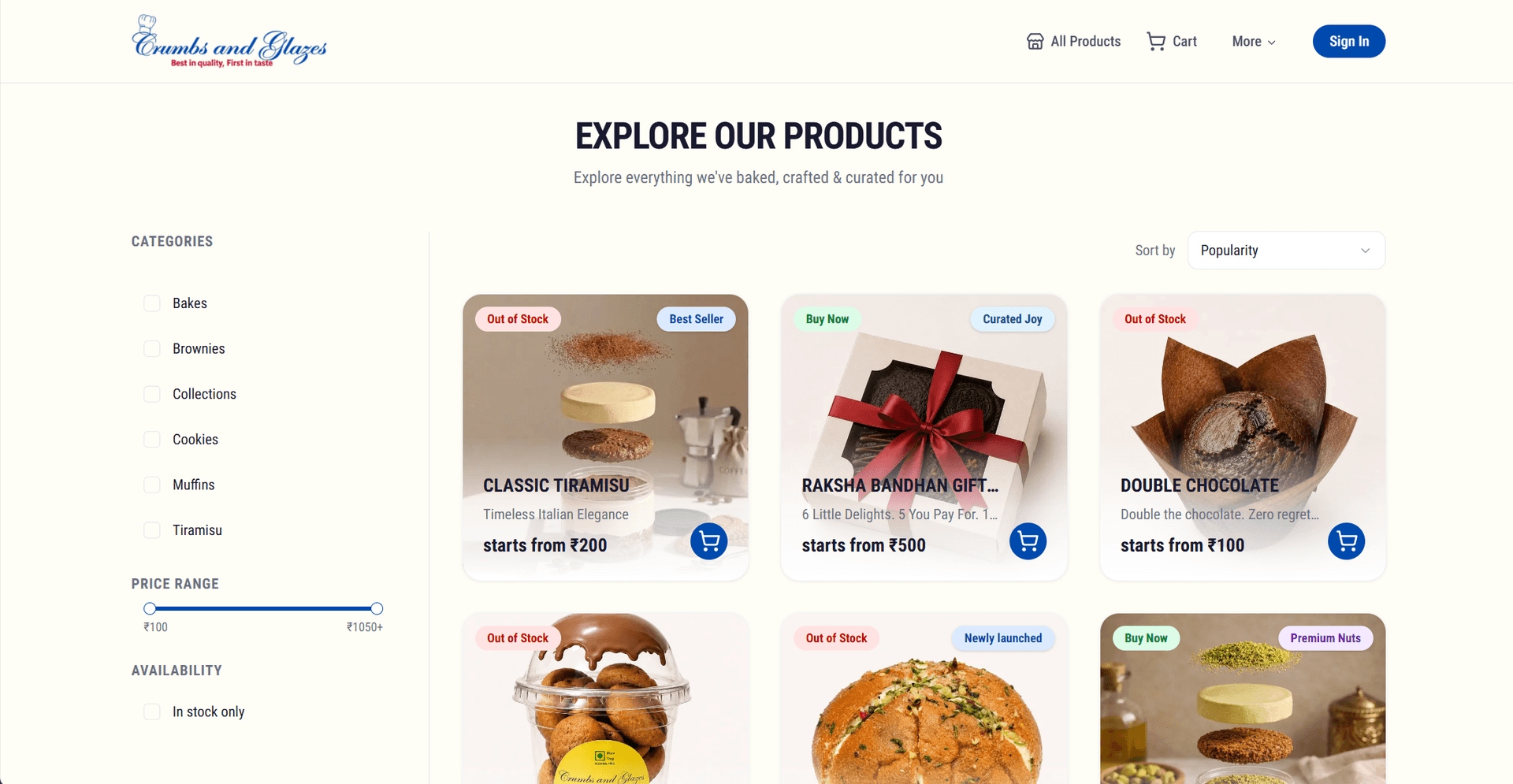
Product Discovery
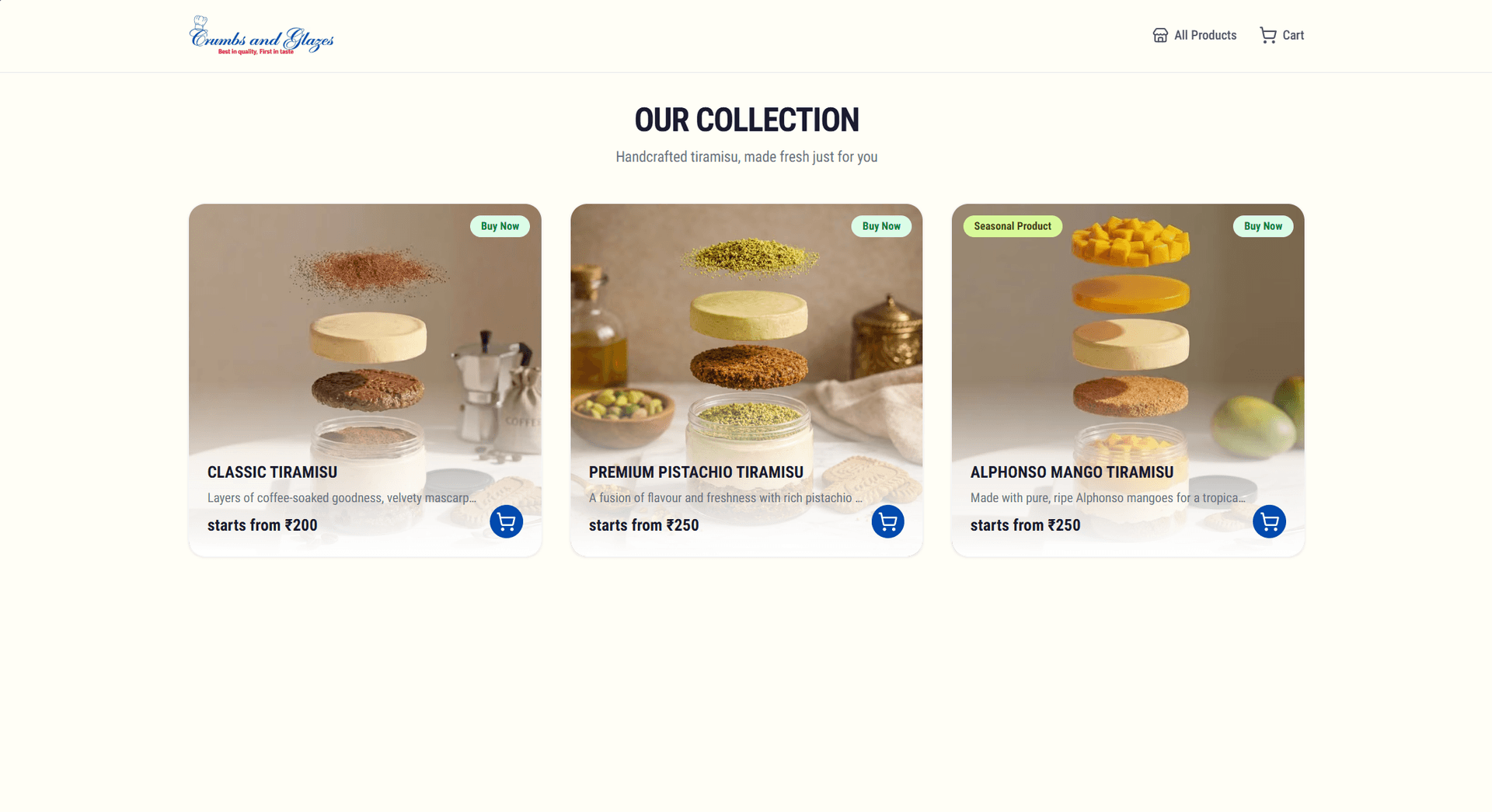
Customers can browse available flavours, explore detailed product pages, view imagery and descriptions, and understand product attributes, without requiring direct communication.
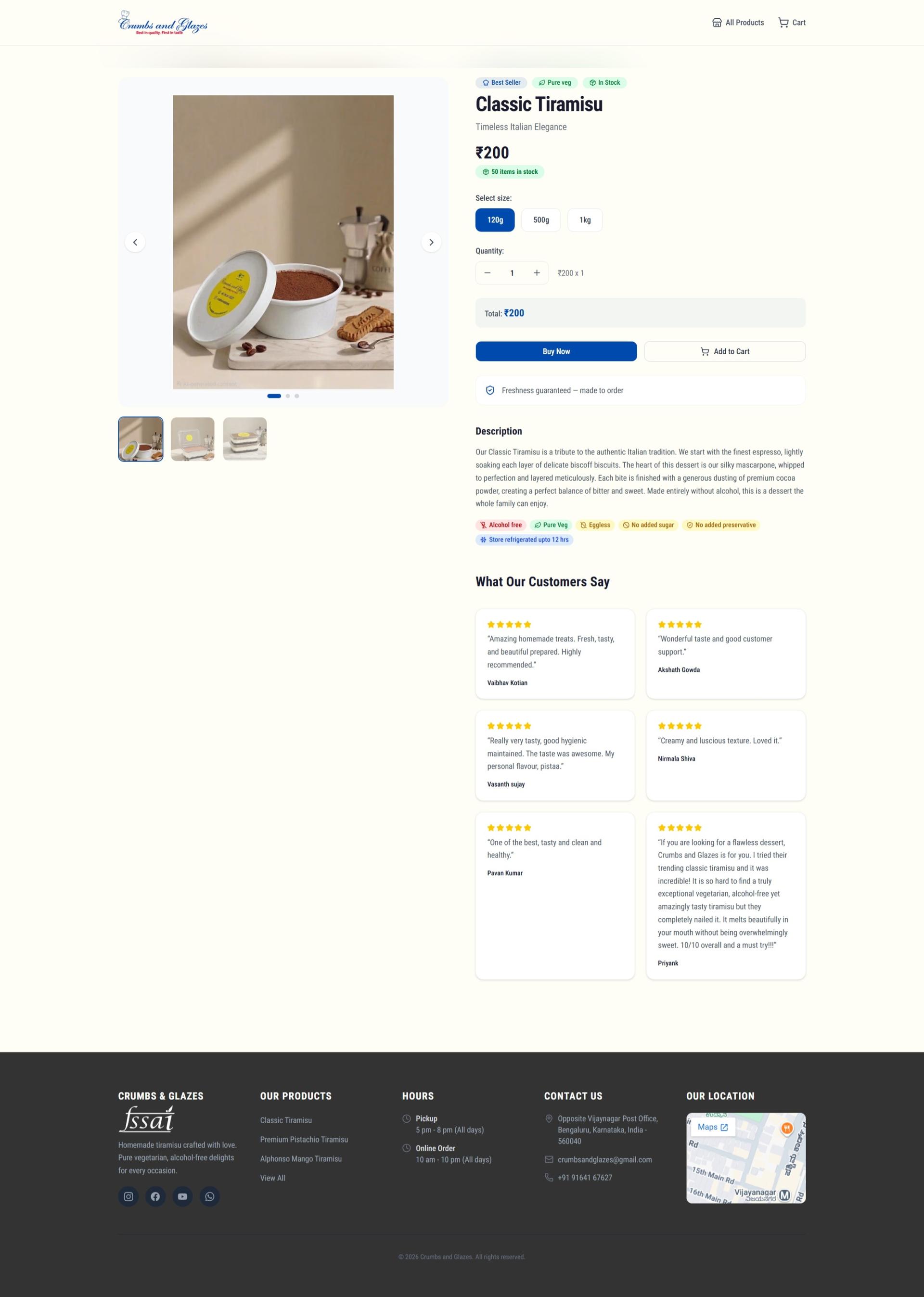
Product Configuration
Customers can select sizes, adjust quantity, view pricing updates, and review order summaries before proceeding to checkout.
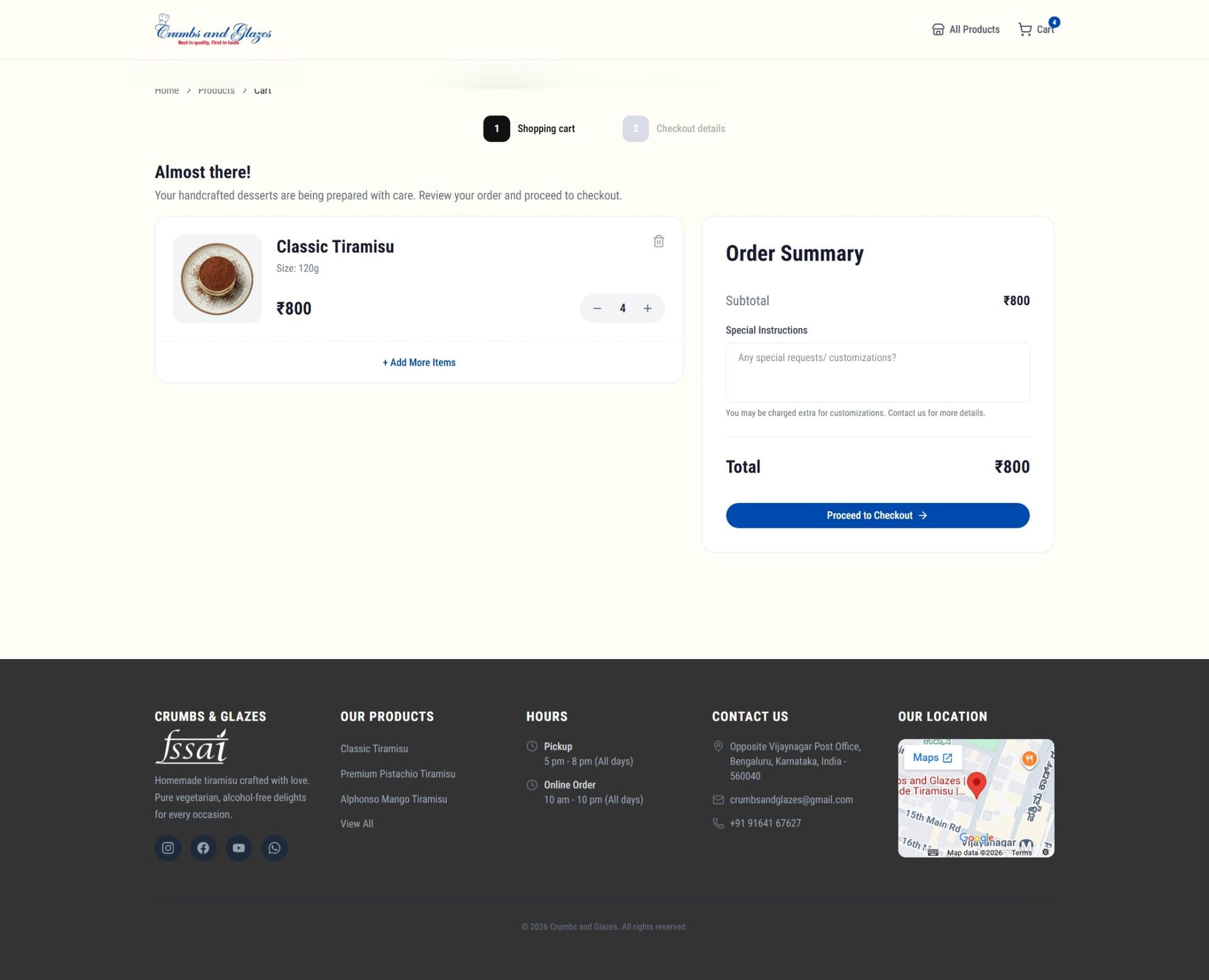
Streamlined Checkout
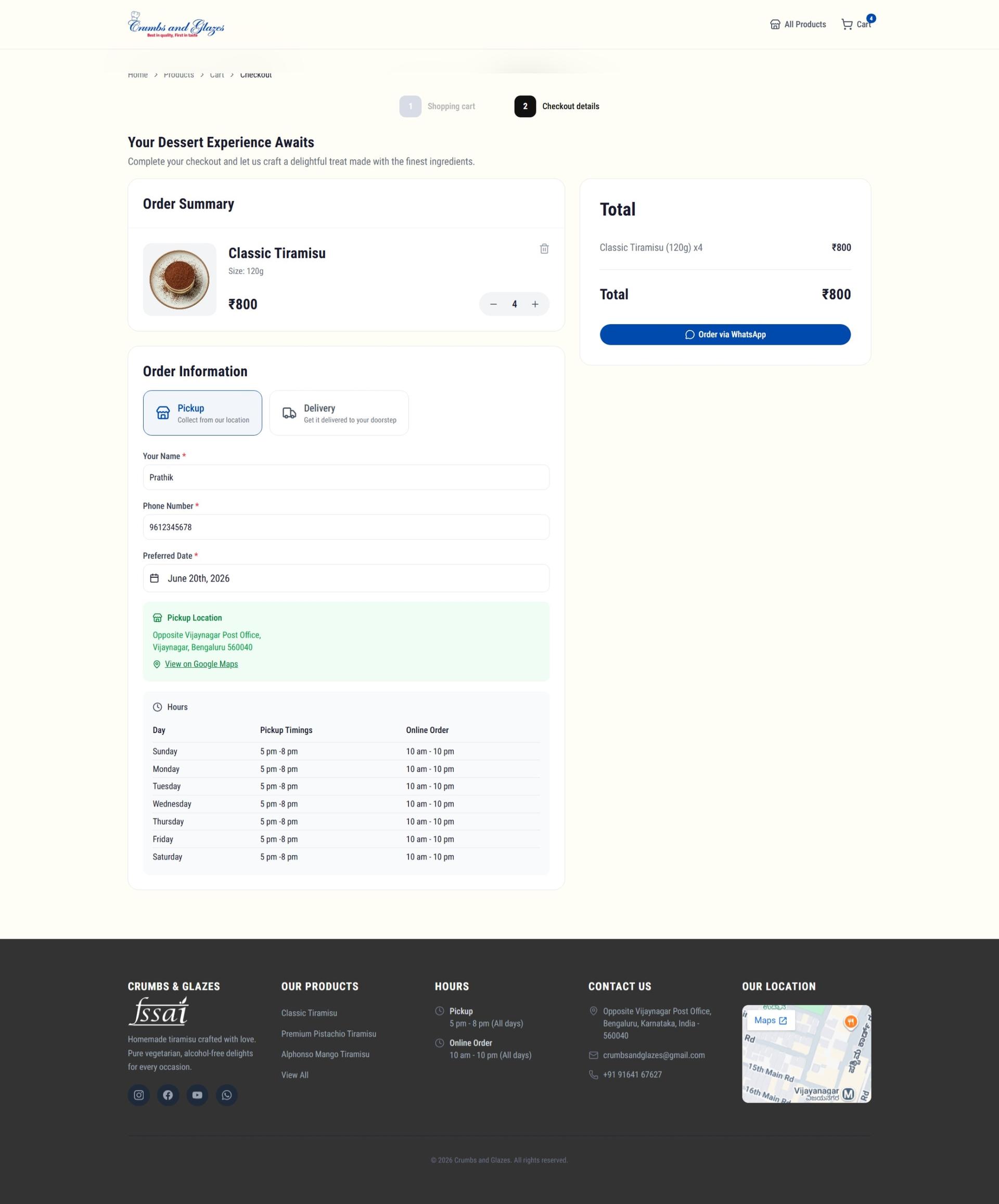
The checkout flow captures customer information, order preferences, pickup or delivery options, and special instructions while minimizing friction.
Order Confirmation
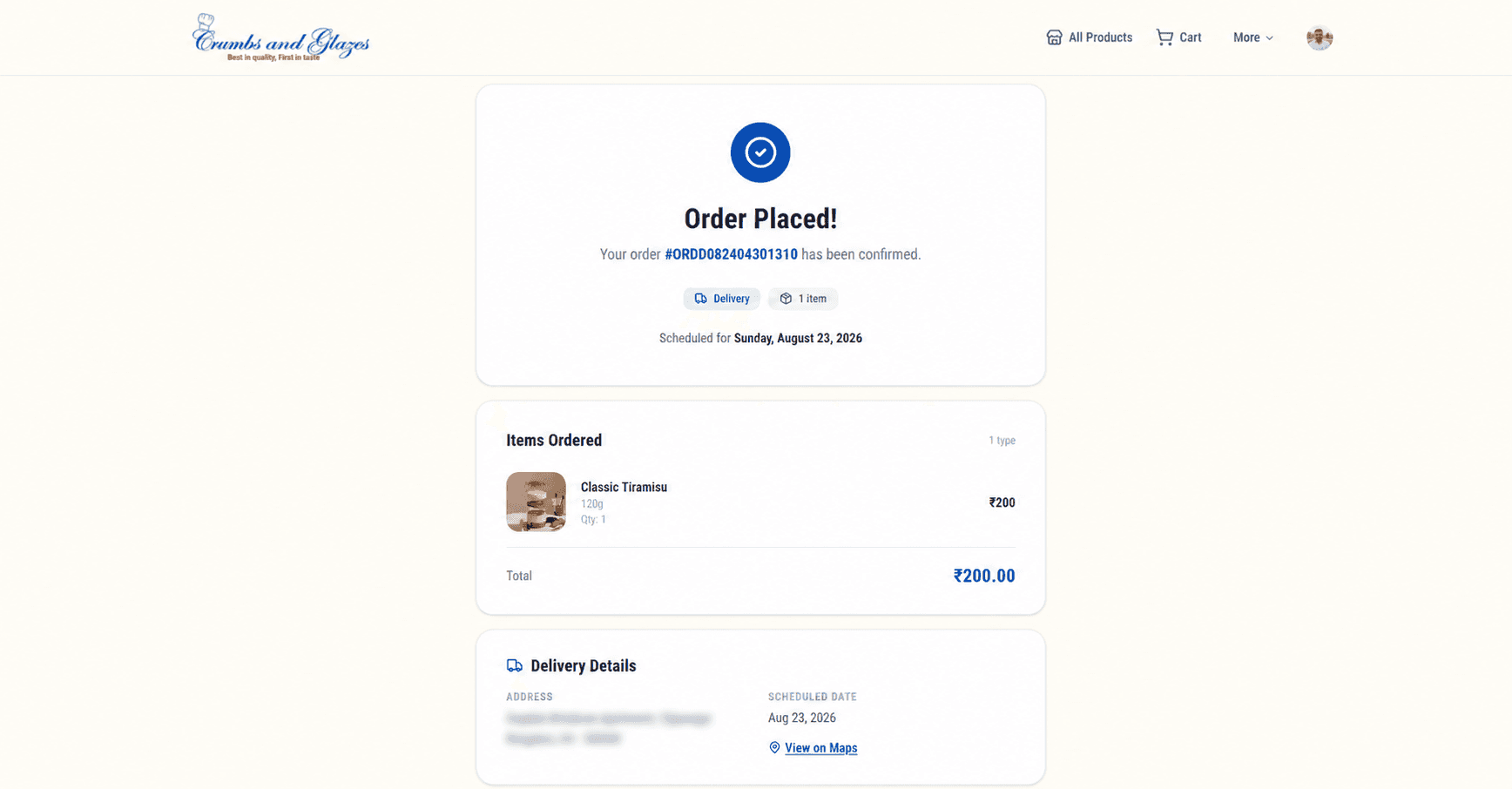
After checkout, customers are presented with a clear confirmation screen that summarizes items ordered, total amount, delivery or pickup details, and estimated timelines. This replaces the previous WhatsApp-based confirmation with a structured and professional experience.
My Orders
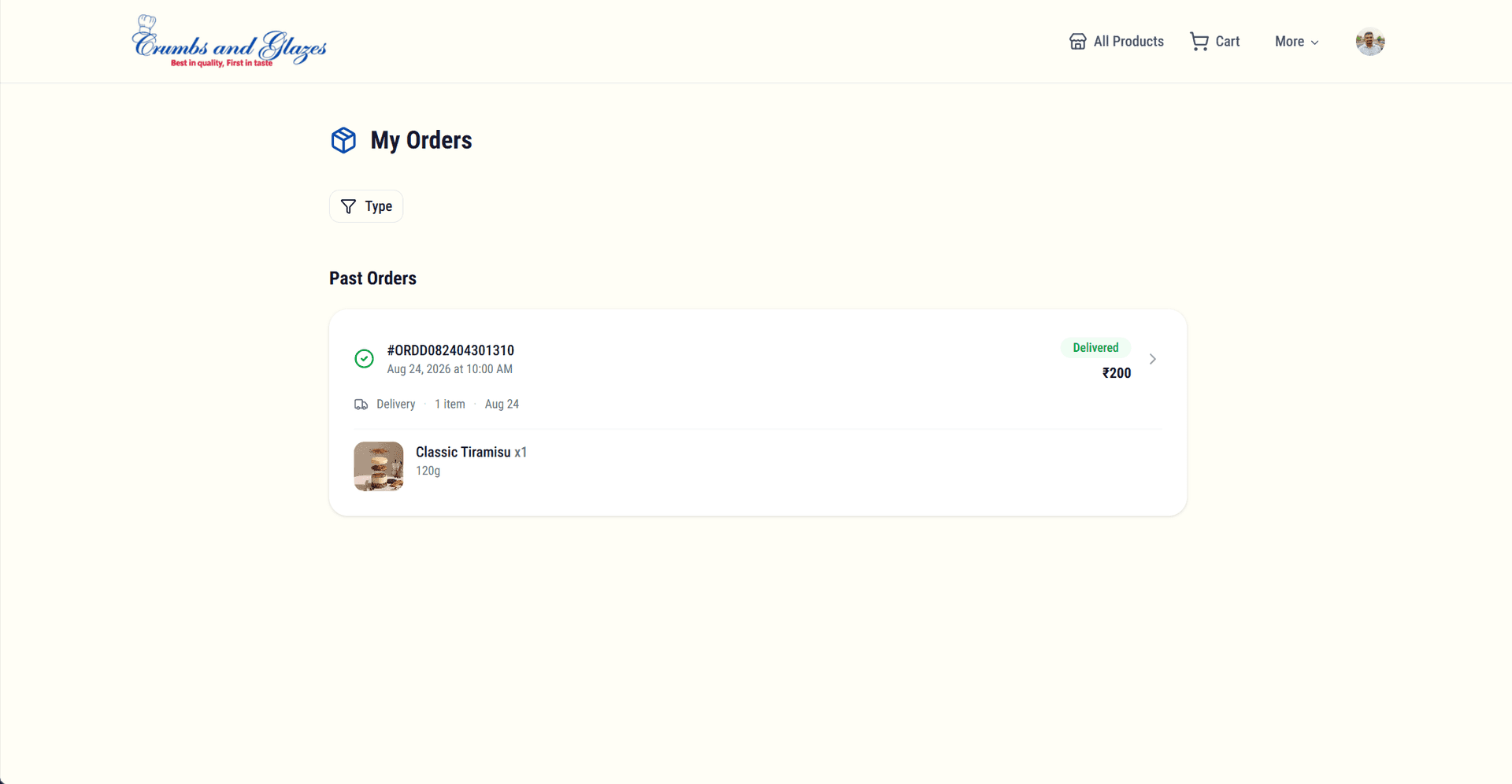
Customers can view their complete order history, track the status of current orders, and reorder previous items with a single tap. This eliminates the need to scroll through chat threads to find past orders and gives full visibility into order progress.
Key Features
Dynamic Product Showcase
Carousel slides and product range cards are managed from the admin panel, with custom ordering, visibility toggles, and links to products or custom URLs for every slide.
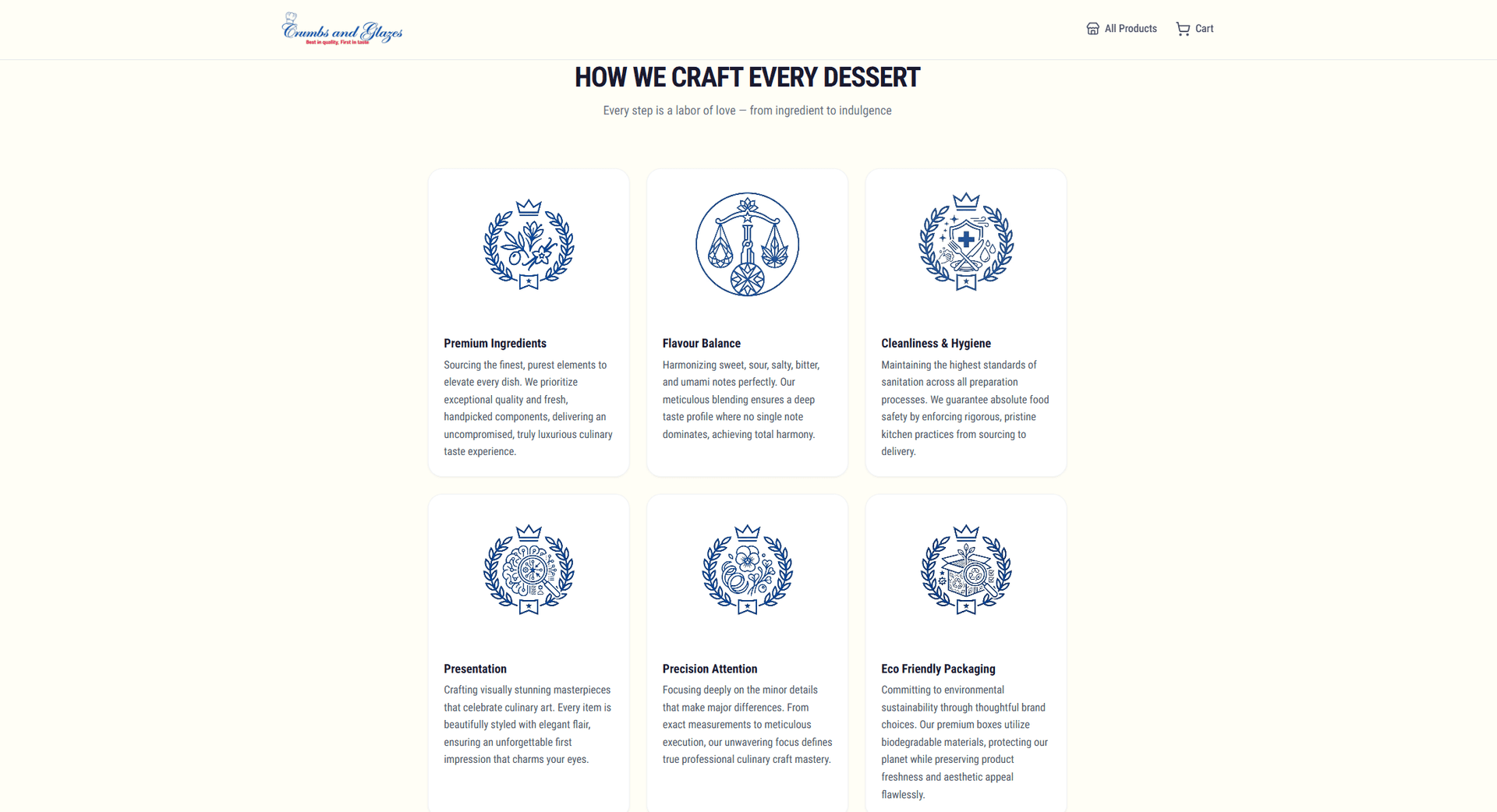
Ingredient & Quality Storytelling
The craft story, founder profile, and quality sections are editable content blocks, so sourcing, hygiene standards, and process updates go live without developer help.
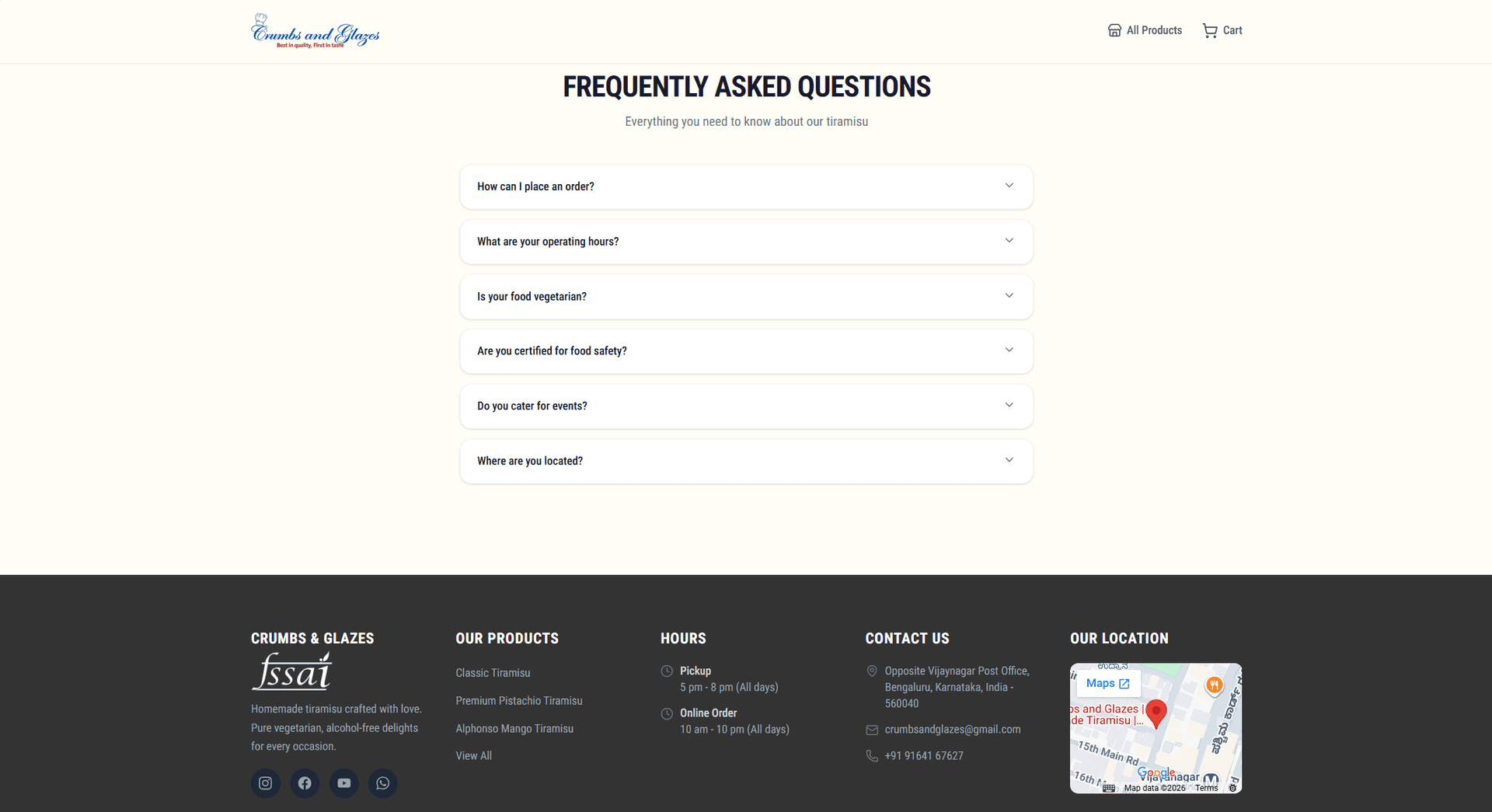
Frequently Asked Questions
A structured FAQ system managed from the admin panel reduces support overhead by proactively answering common customer concerns.
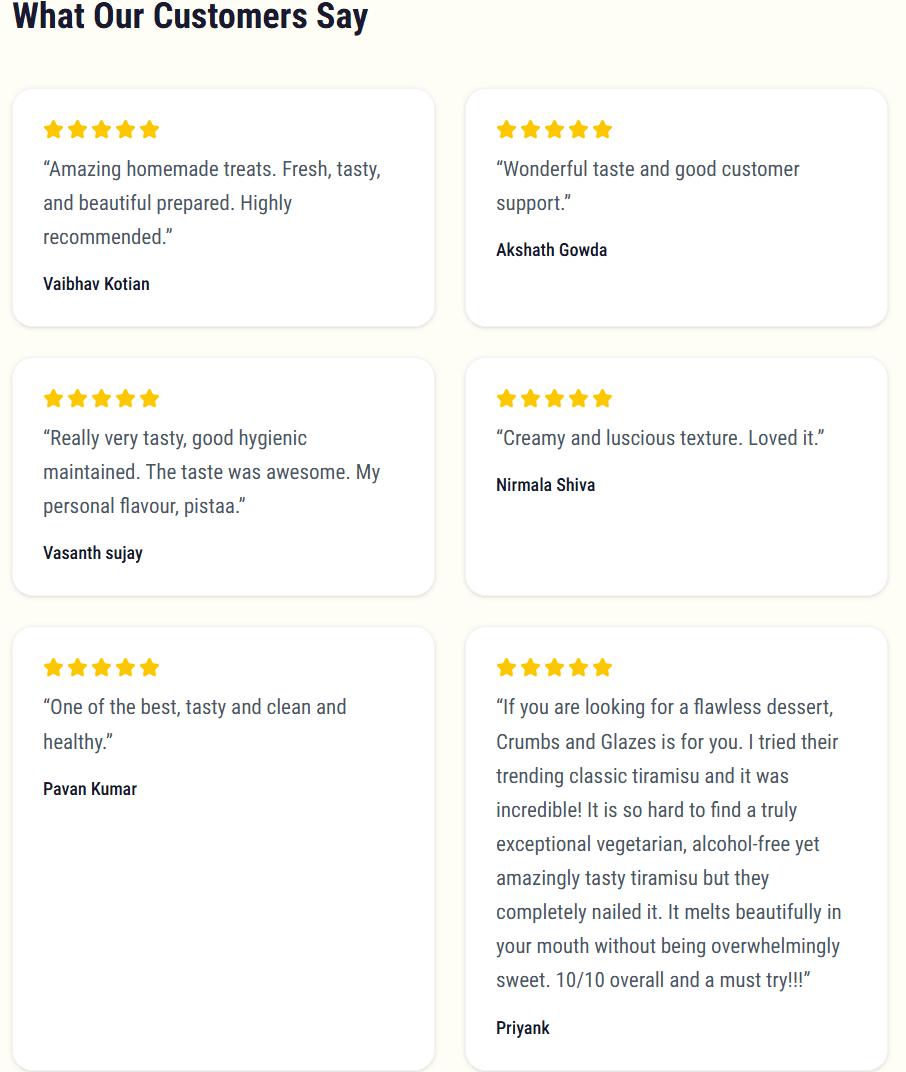
Customer Reviews
Favorites and social proof sections pull live product data and reviews into the home page to reinforce credibility and encourage conversions.
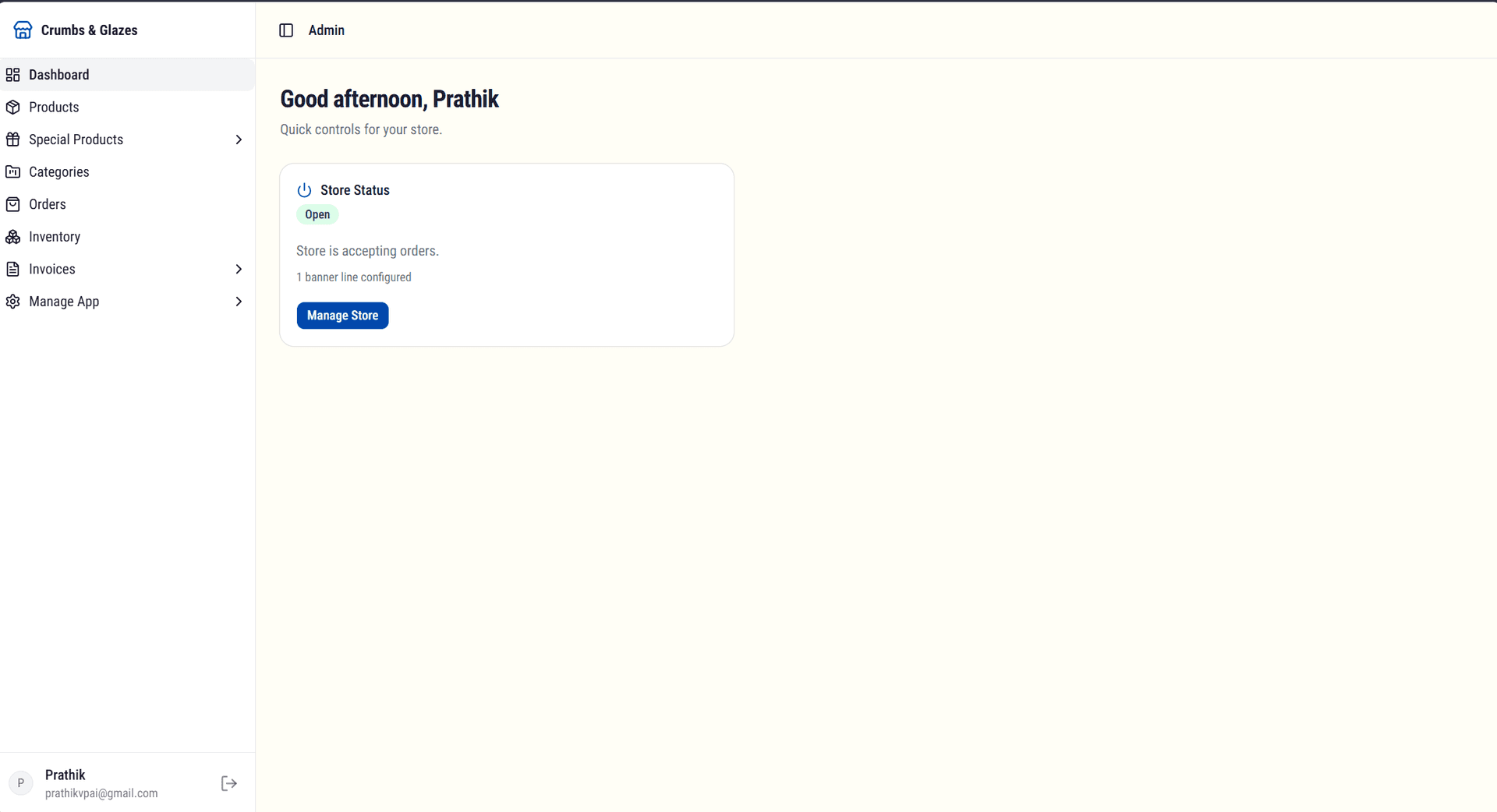
Admin Dashboard
A comprehensive admin interface was built to give the business owner full control over store operations, products, orders, and app settings, all from a single dashboard.
Manage Store
Store availability can be controlled in real time. The owner can temporarily close the store during off-hours, holidays, or maintenance periods. A scheduling feature allows planned closures so customers are automatically informed without manual intervention.
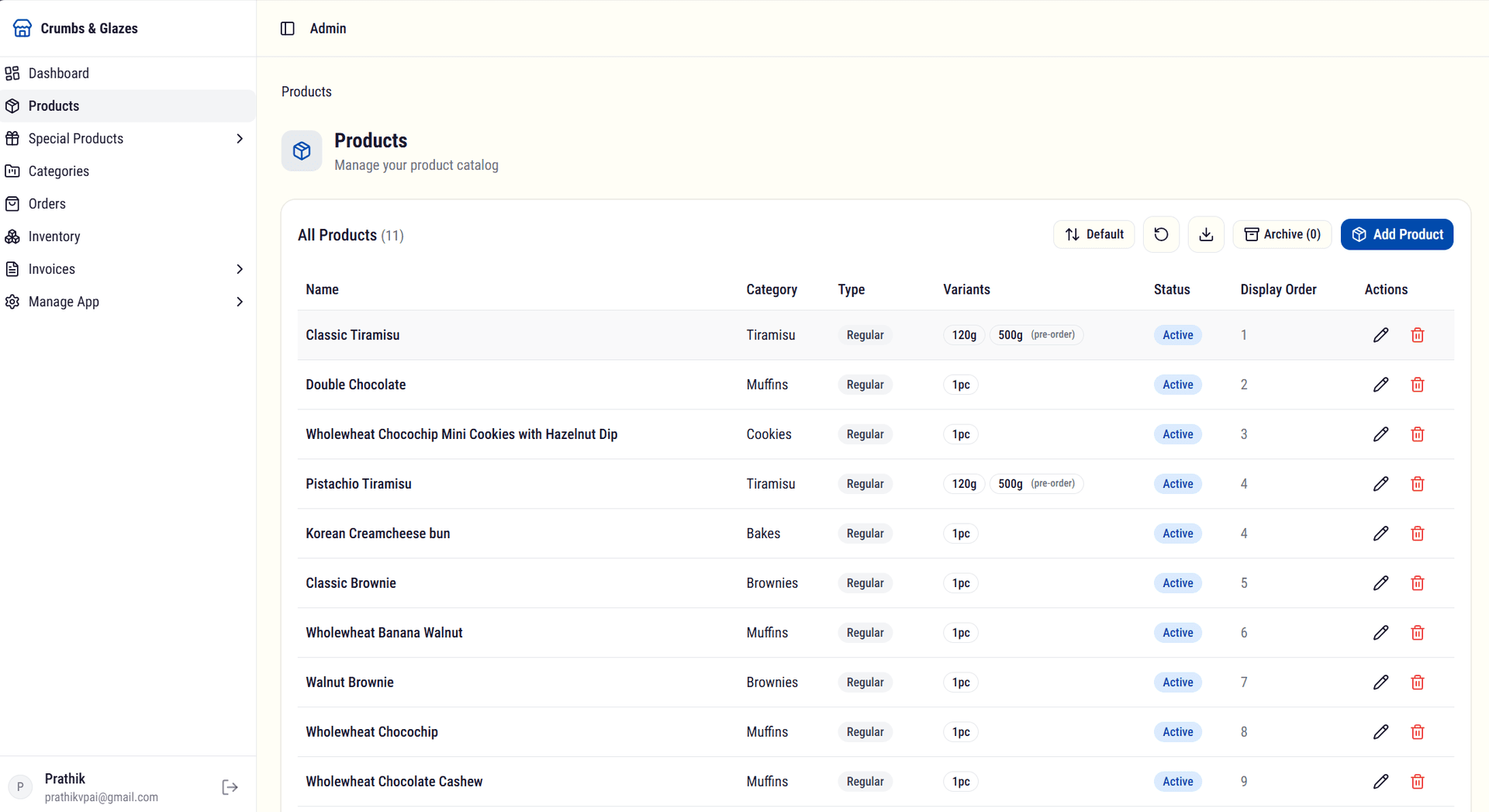
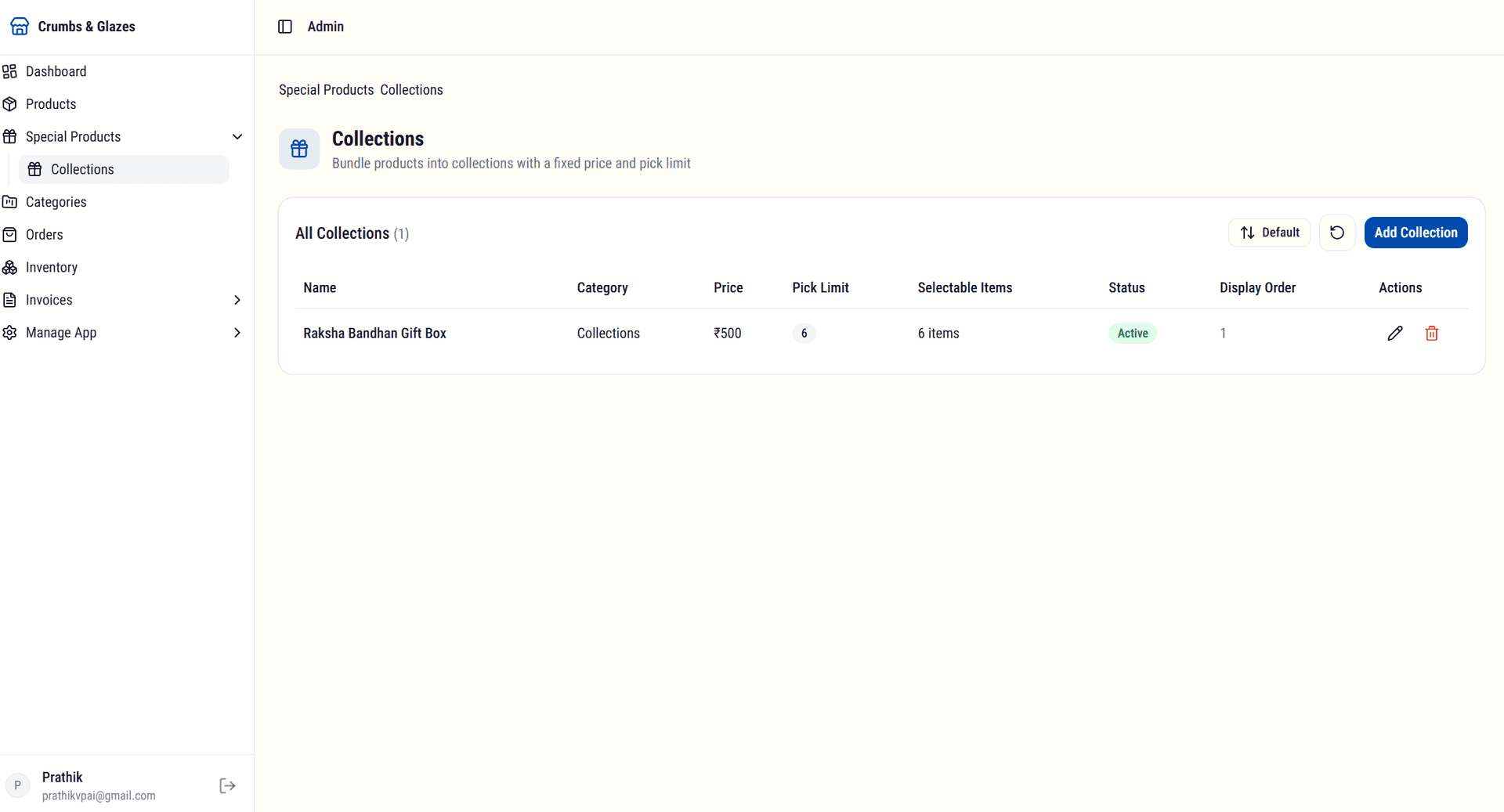
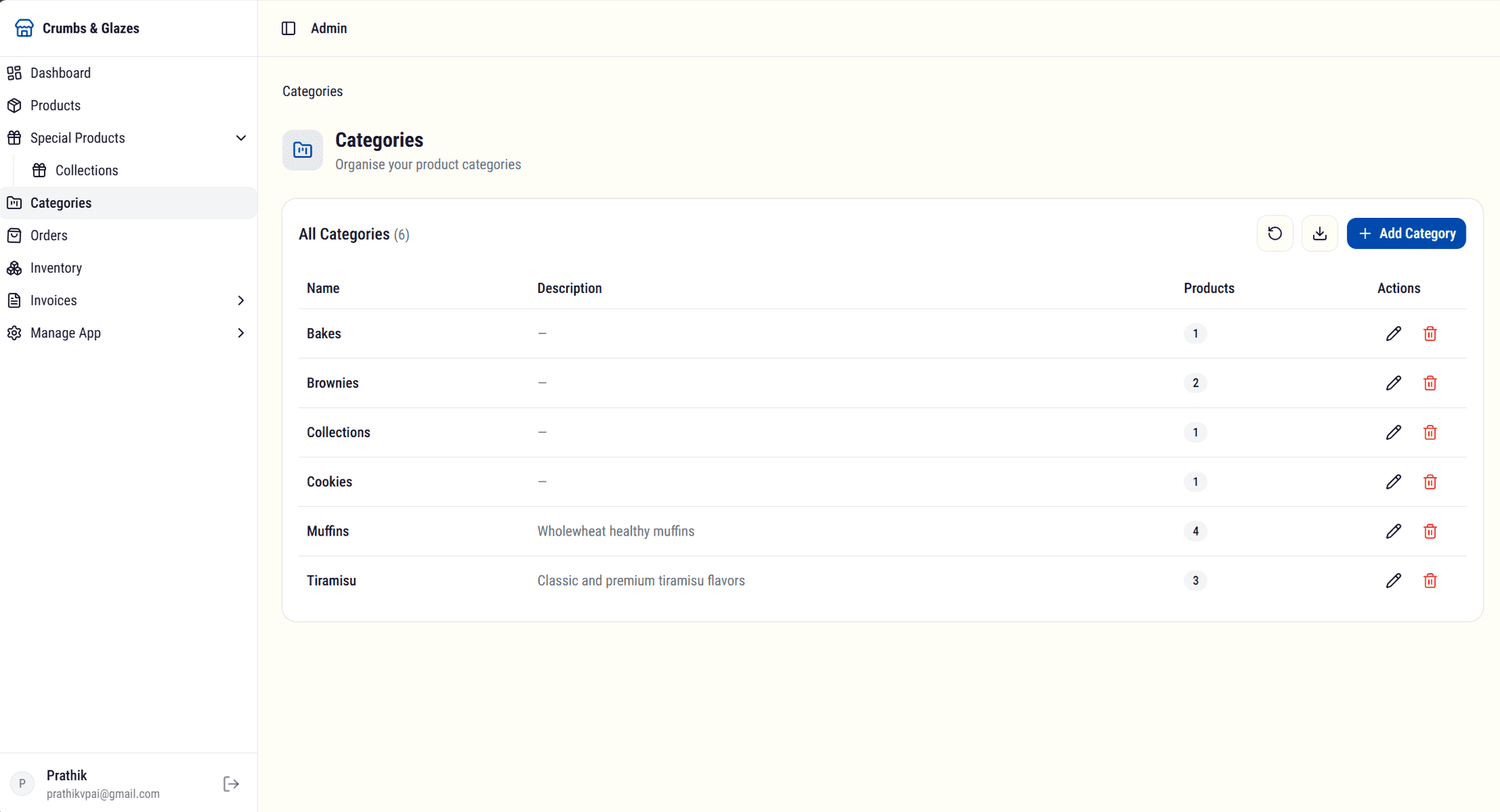
Manage Products
Product management covers everything from adding new flavours to editing descriptions, images, pricing, and availability. Products can be organized into collections and categories for structured browsing.
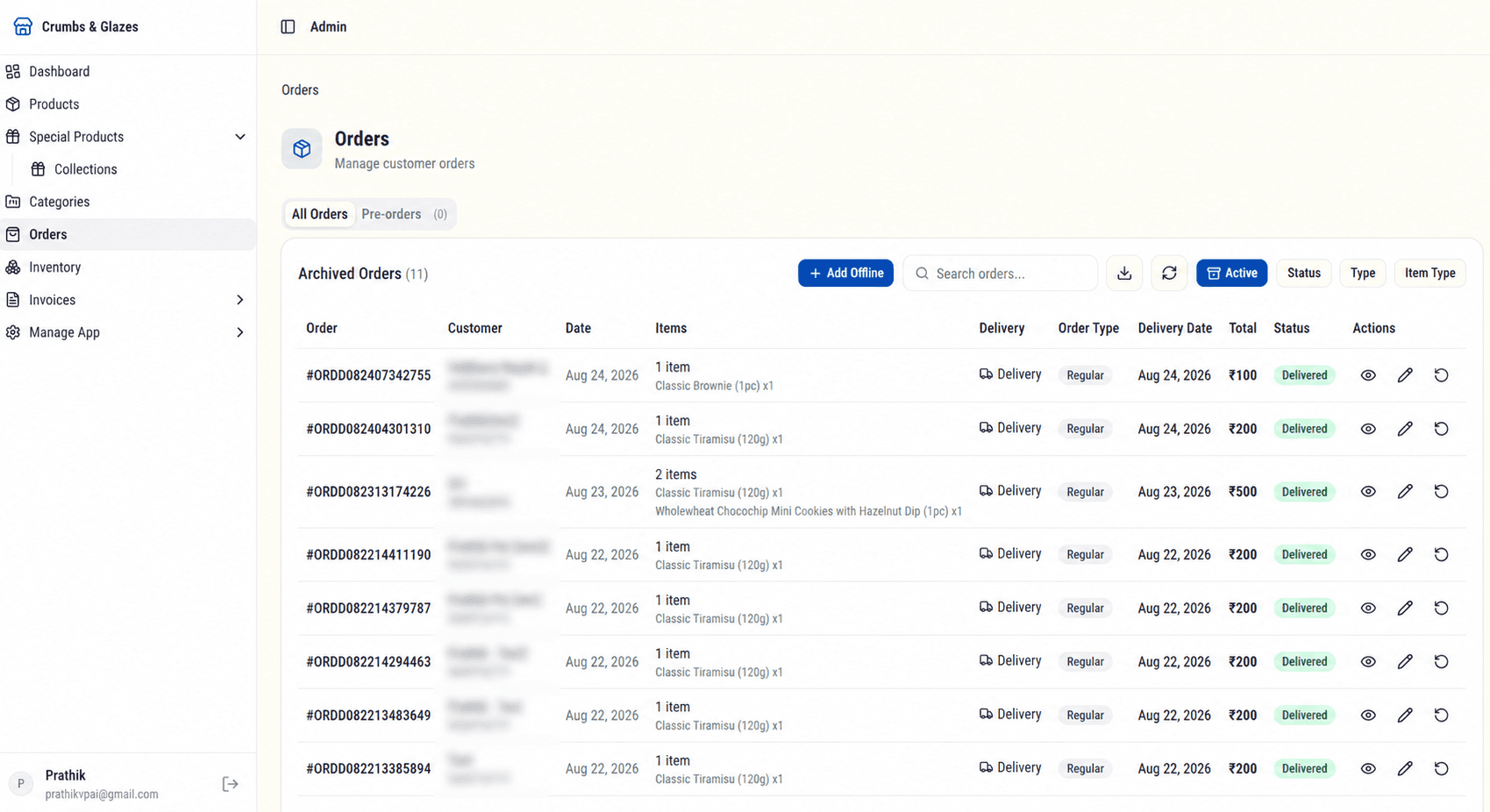
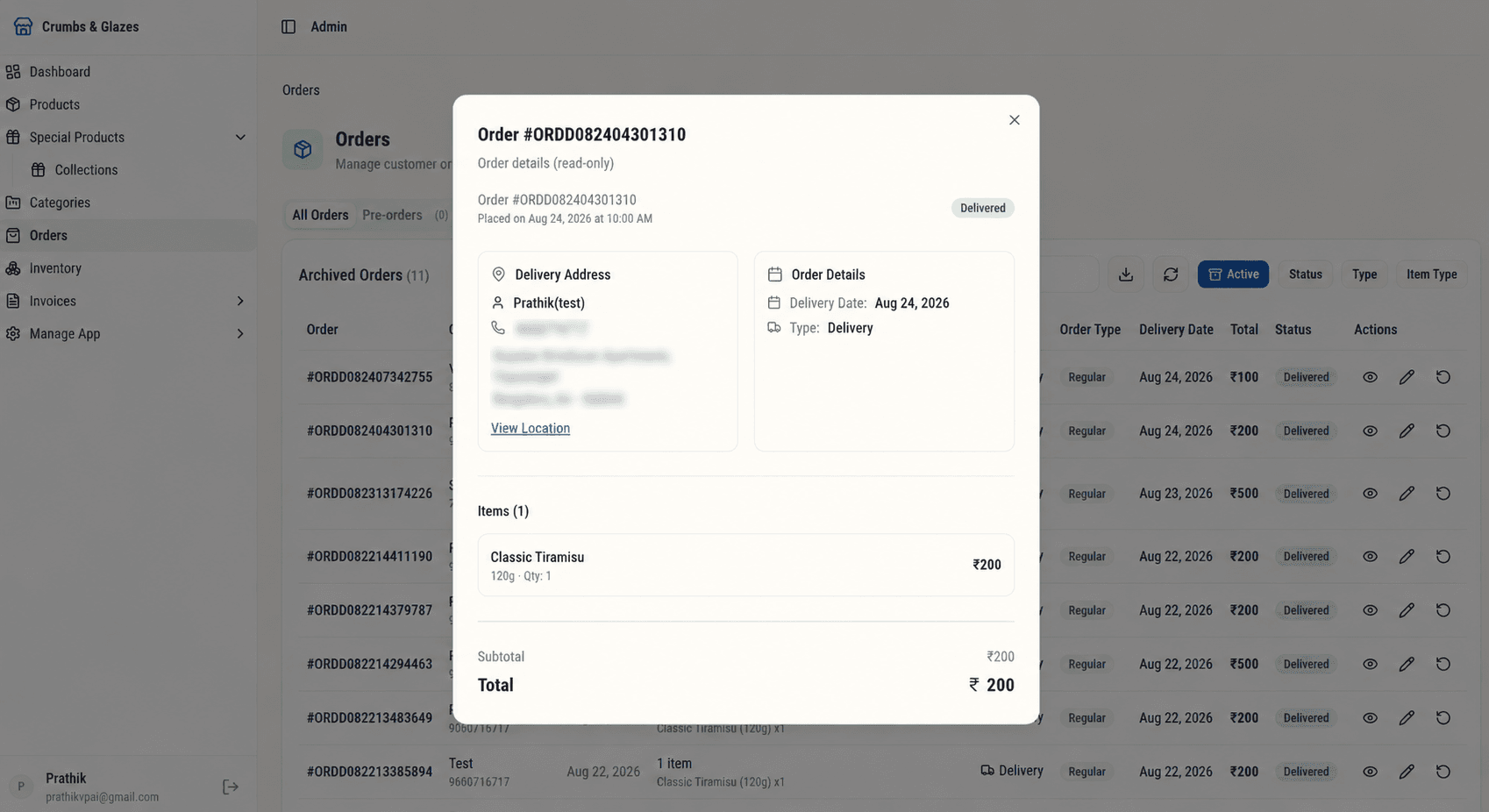
Manage Orders
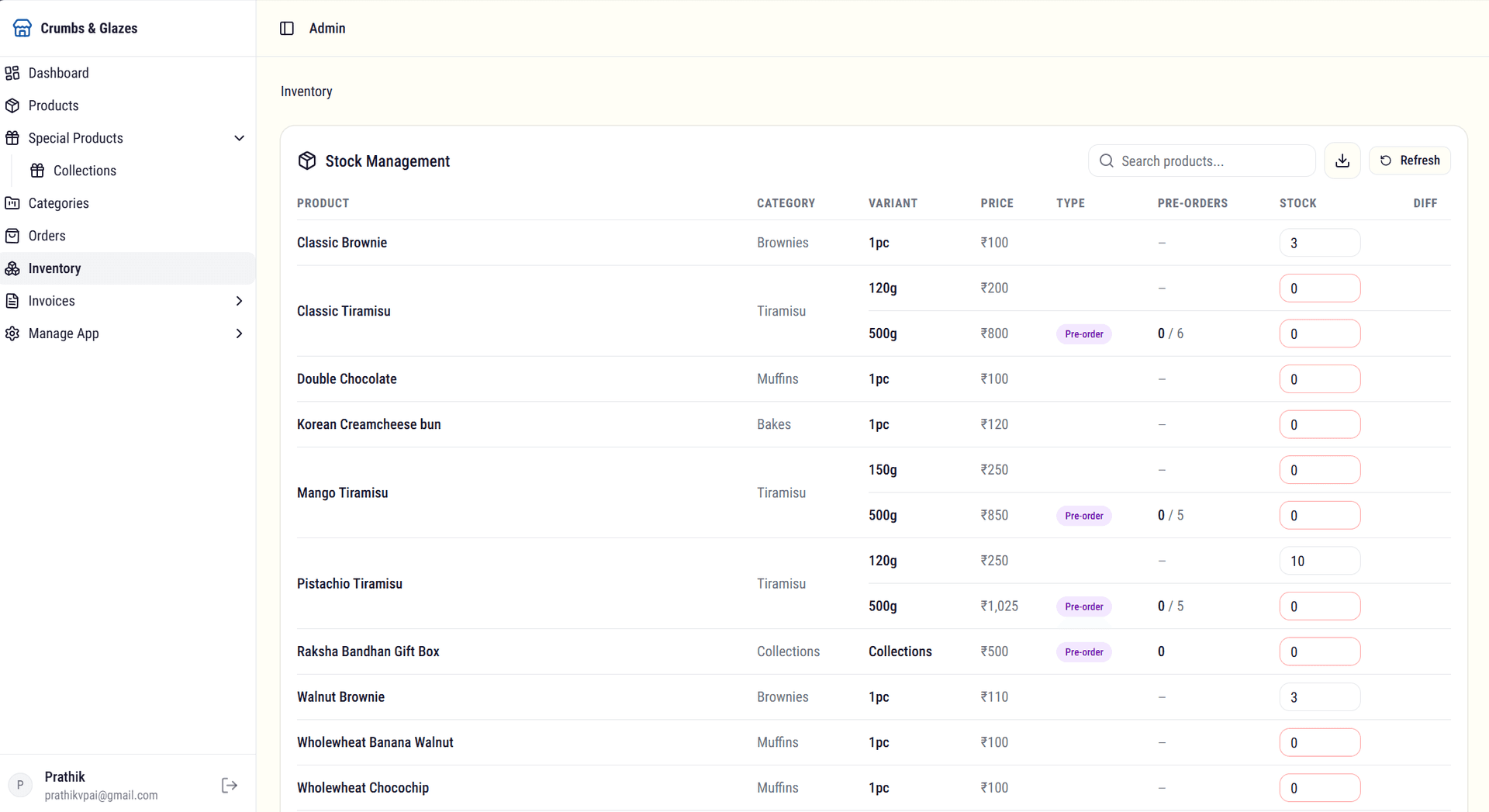
Order management brings together everything needed to process and fulfil orders efficiently. Incoming orders can be viewed, tracked, and updated in real time. Inventory levels are automatically adjusted as orders are placed and fulfilled.
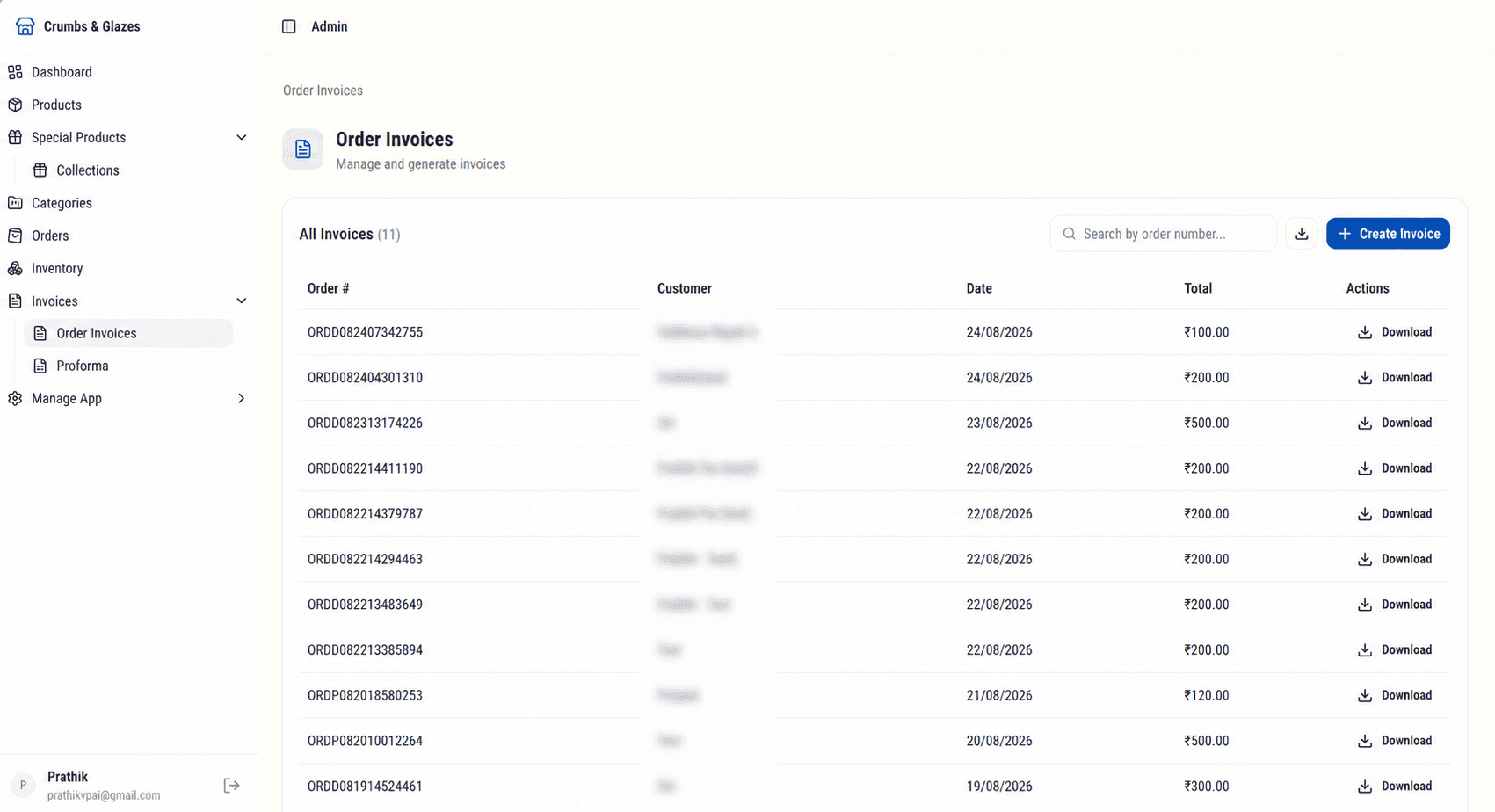
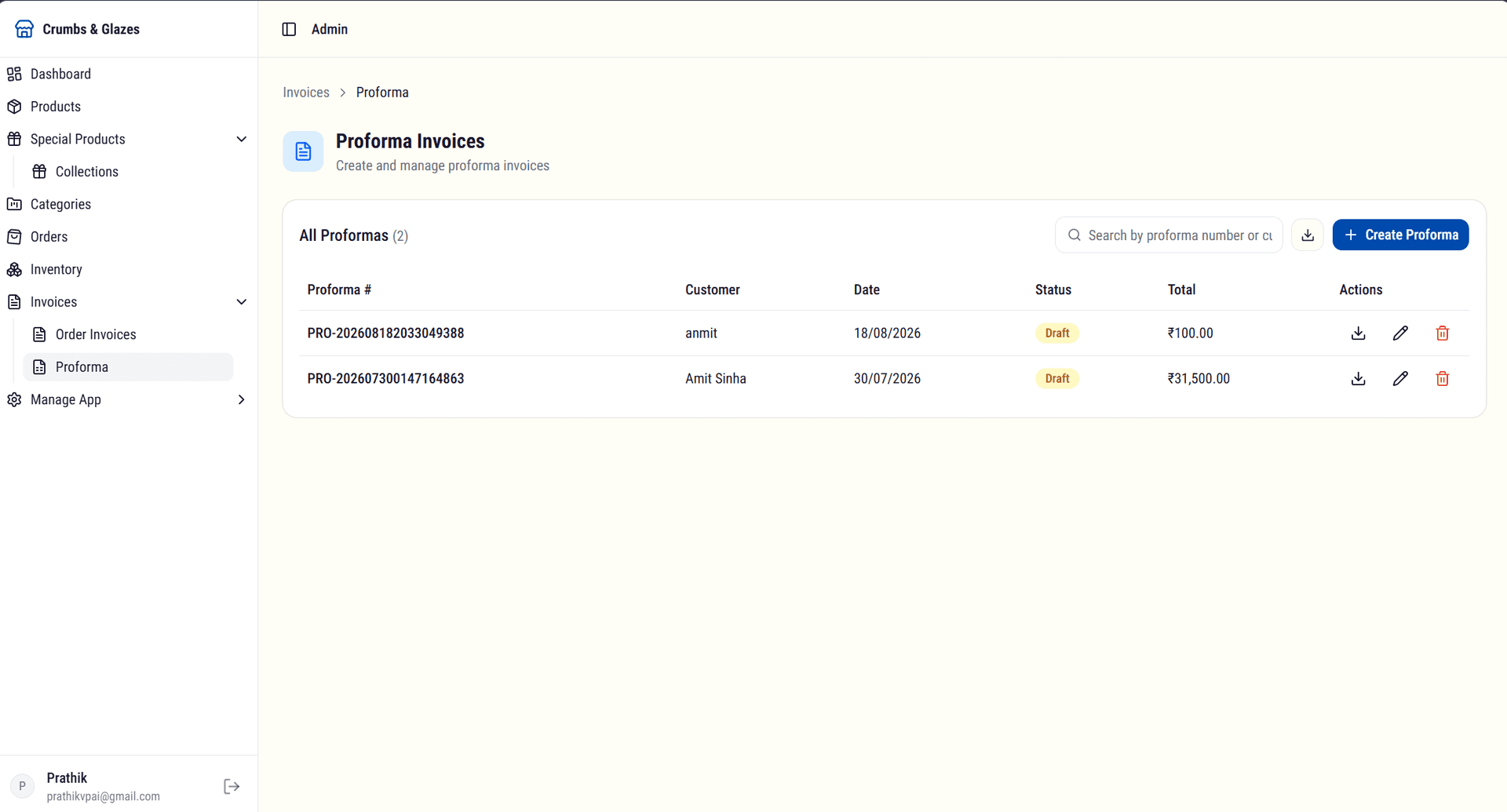
Invoice management allows the owner to view invoices generated from online orders and create invoices for offline or walk-in orders. This keeps all billing records centralized and accessible for accounting and reconciliation.
Manage App
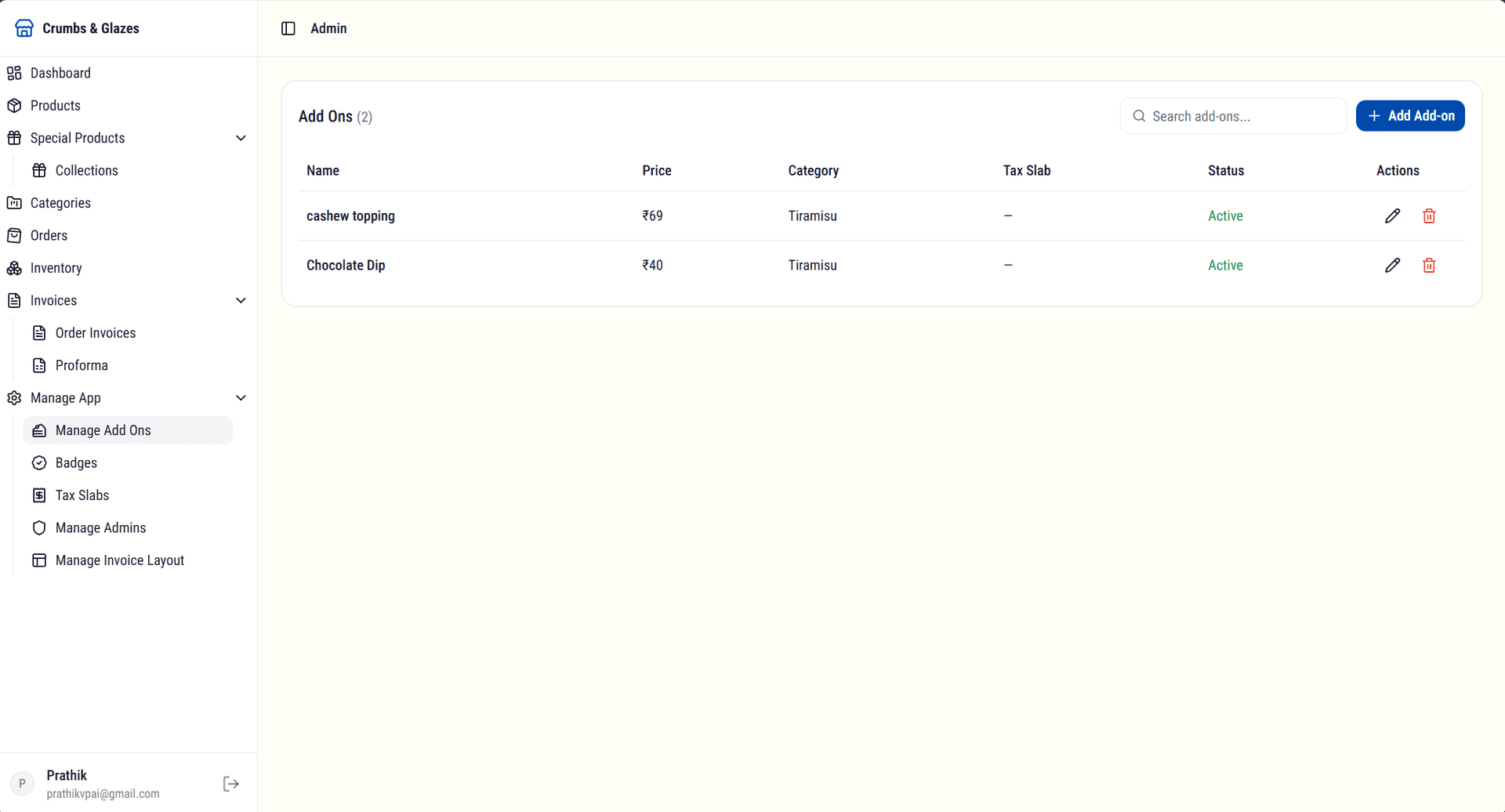
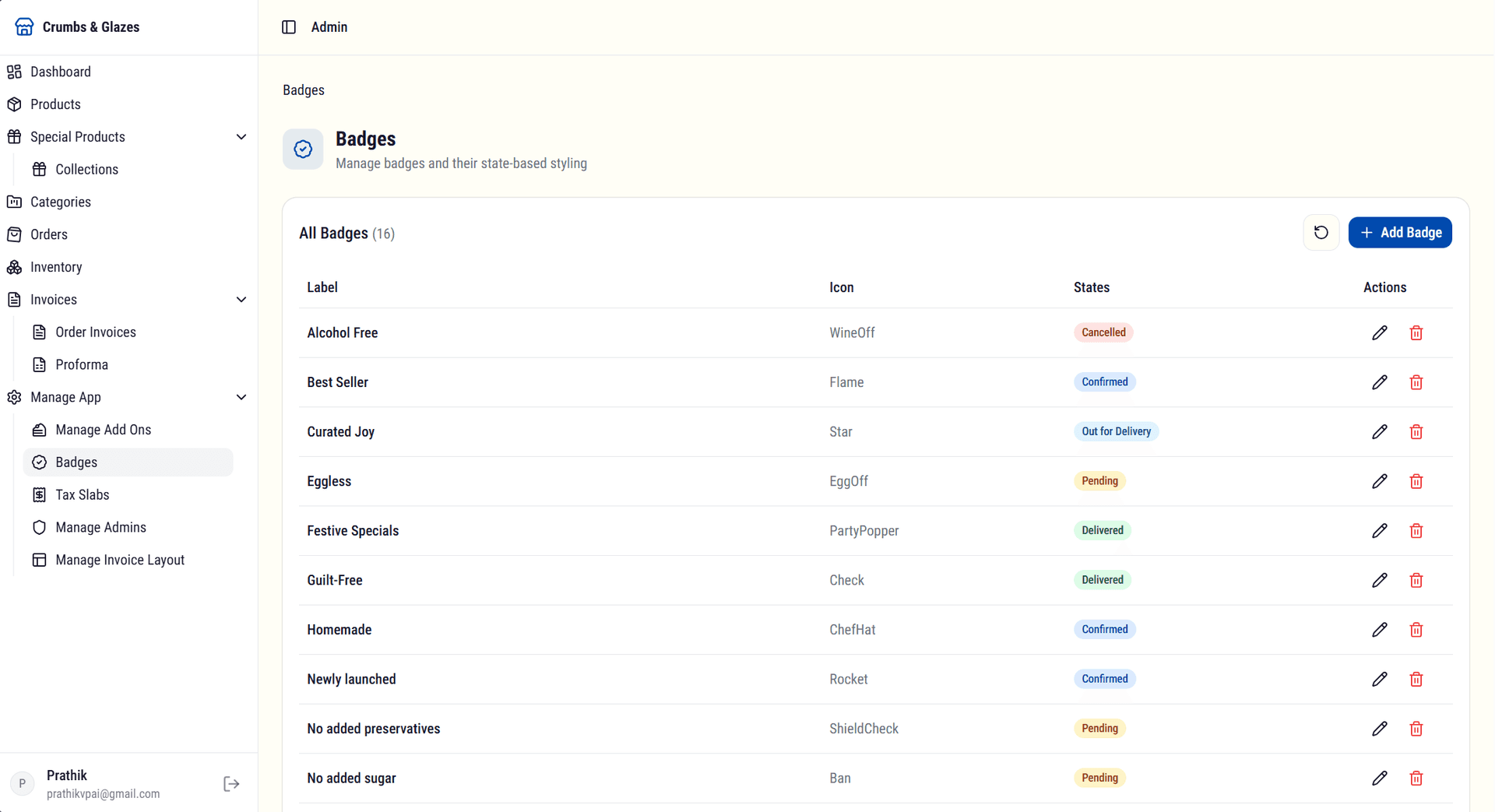
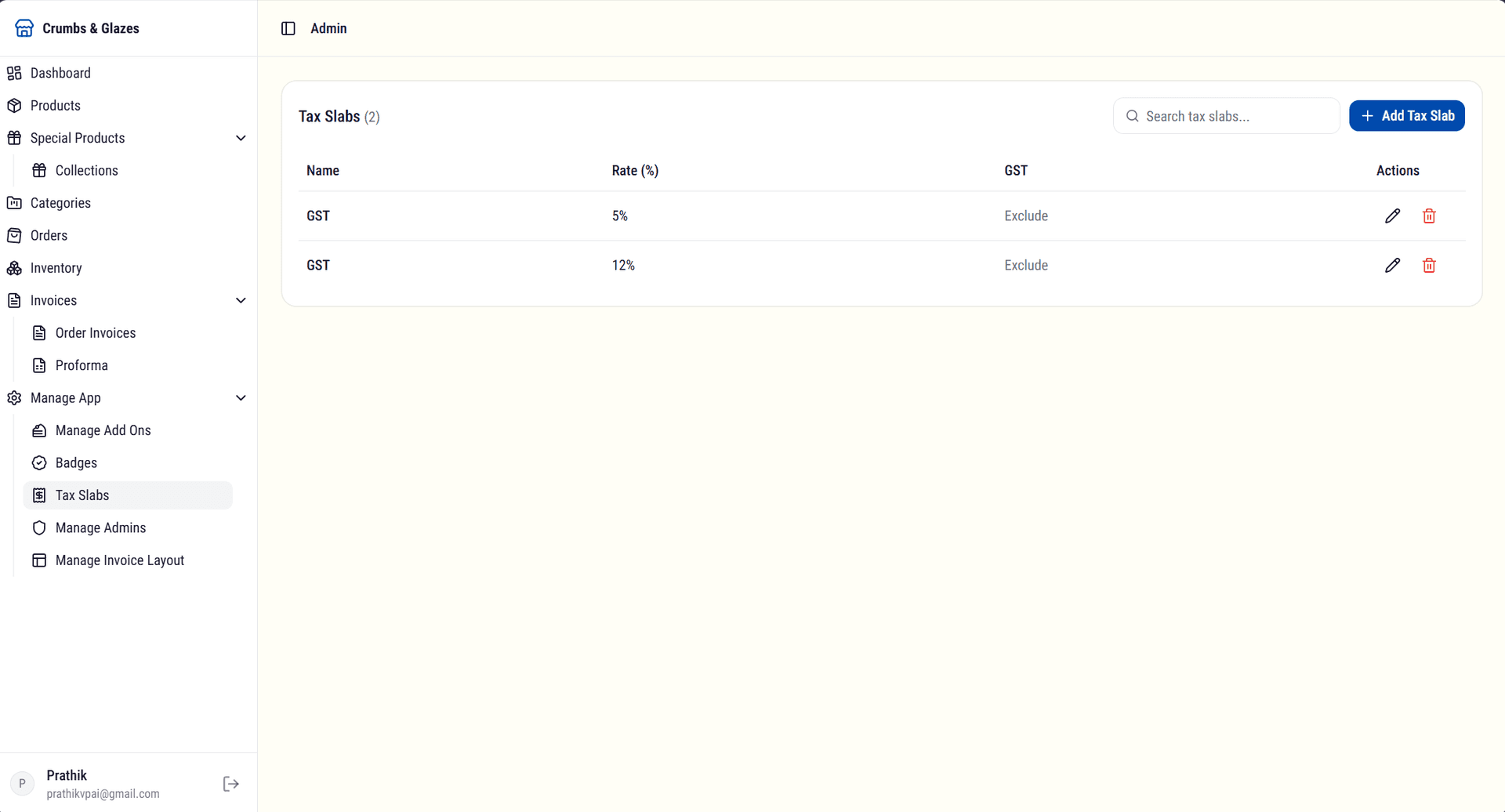
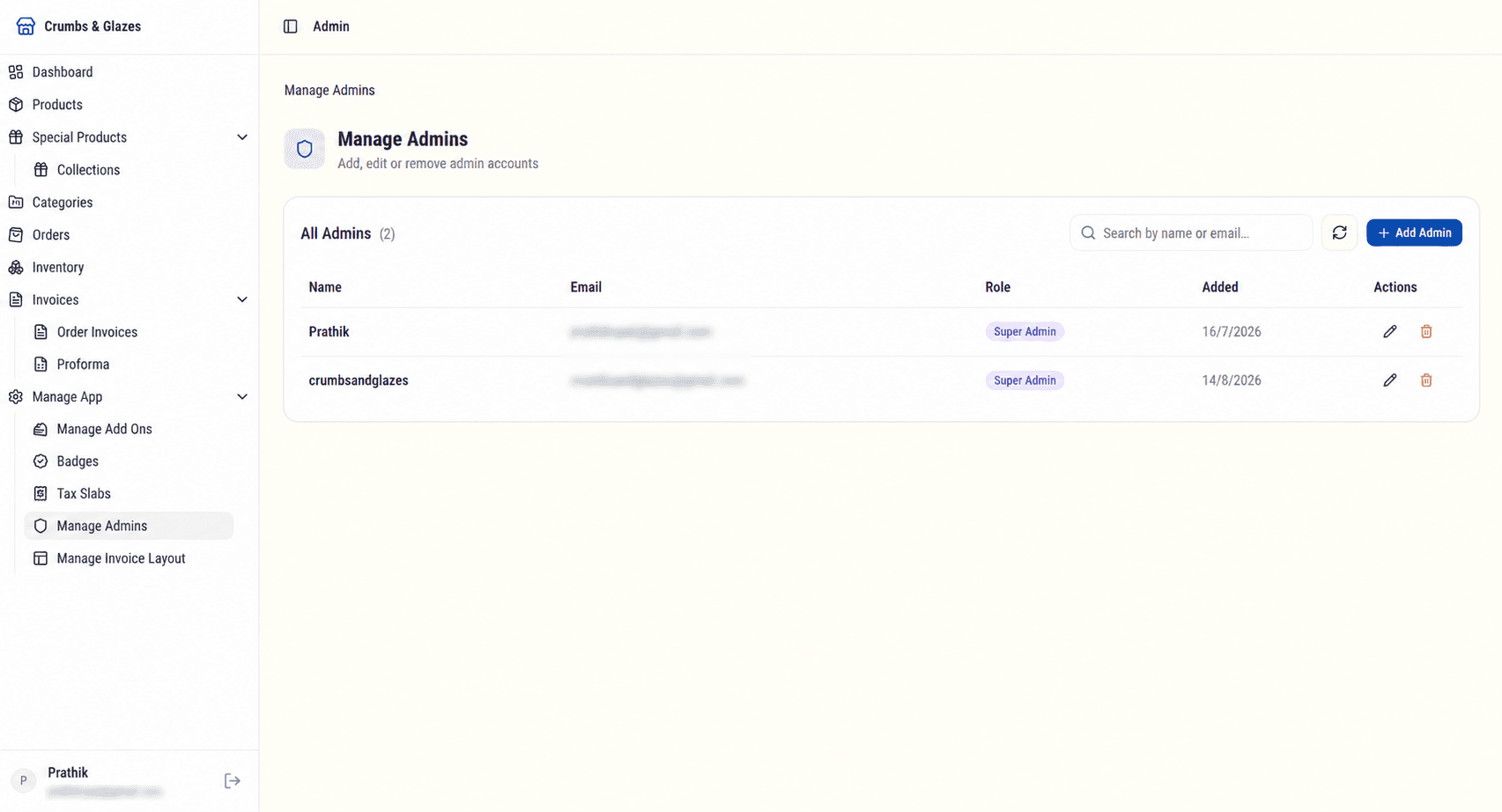
The app settings module provides granular control over product add-ons, badges, tax configuration, admin access, and invoice formatting. Each submodule is designed to keep configuration simple while supporting the full complexity of the business.
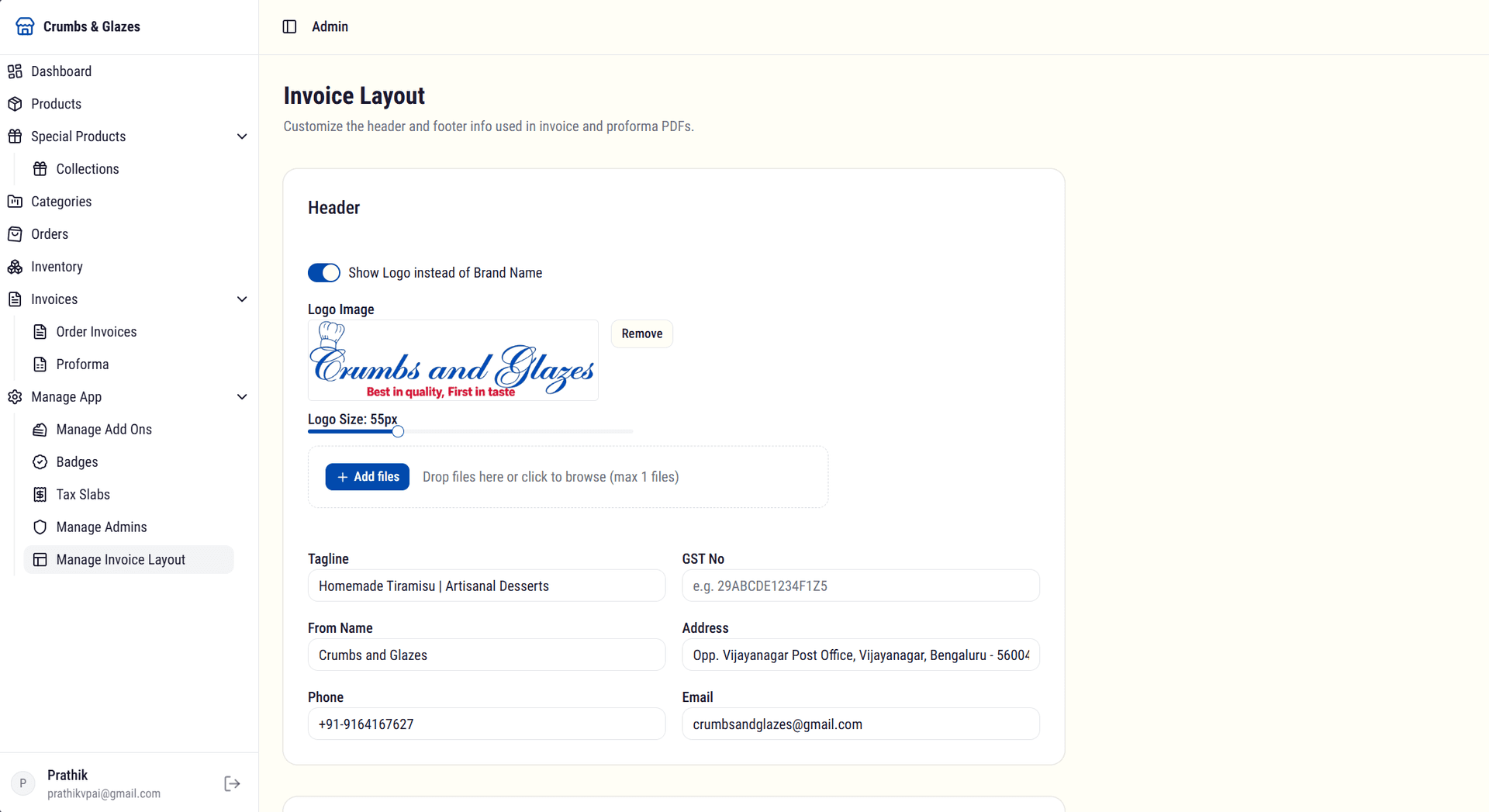
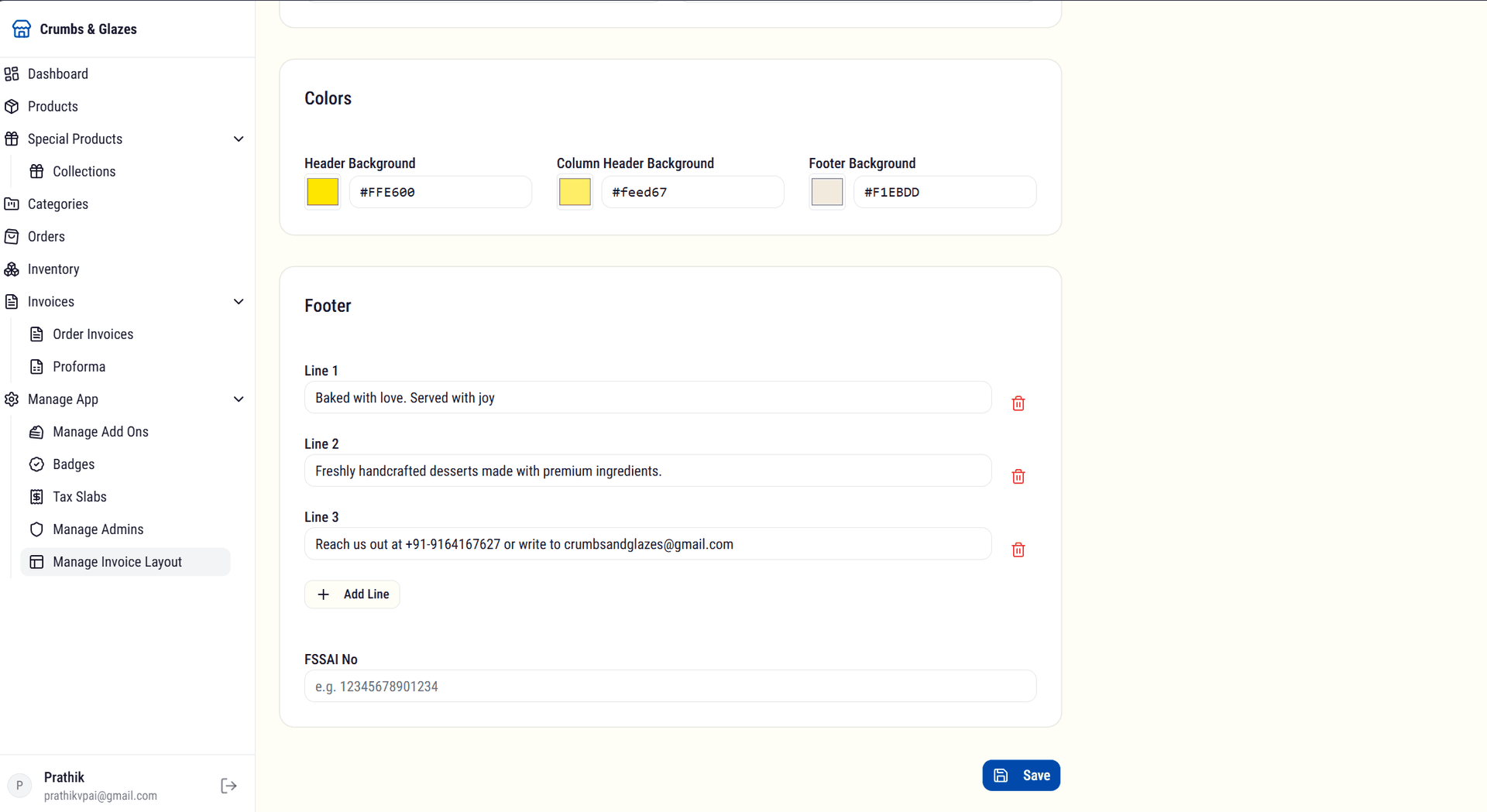
Invoice layouts can be customized to match the brand identity. Two layout templates were designed: one for standard invoices and one for proforma invoices, ensuring consistency across all billing documents.
Sales & Expenses Tracker
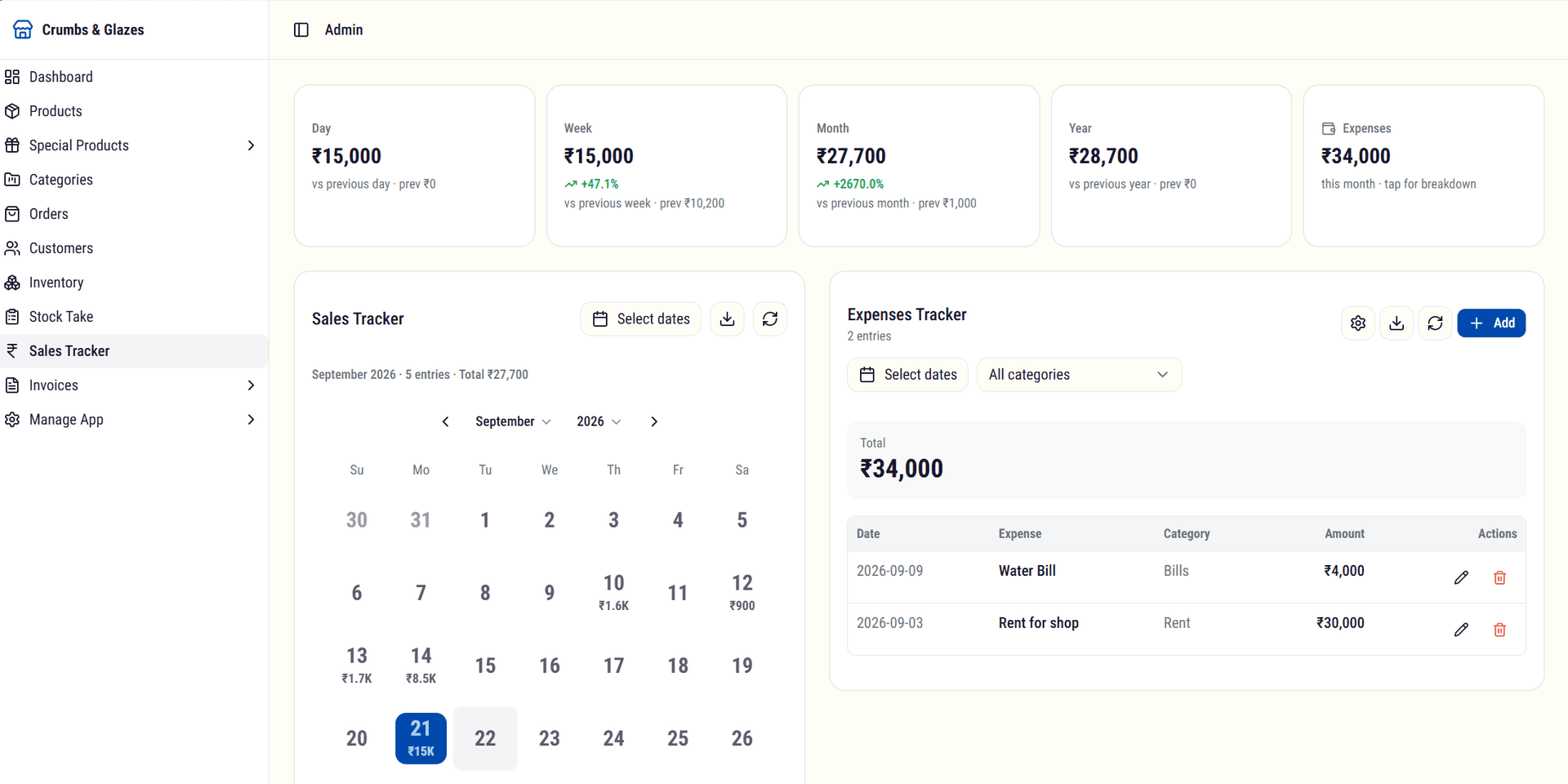
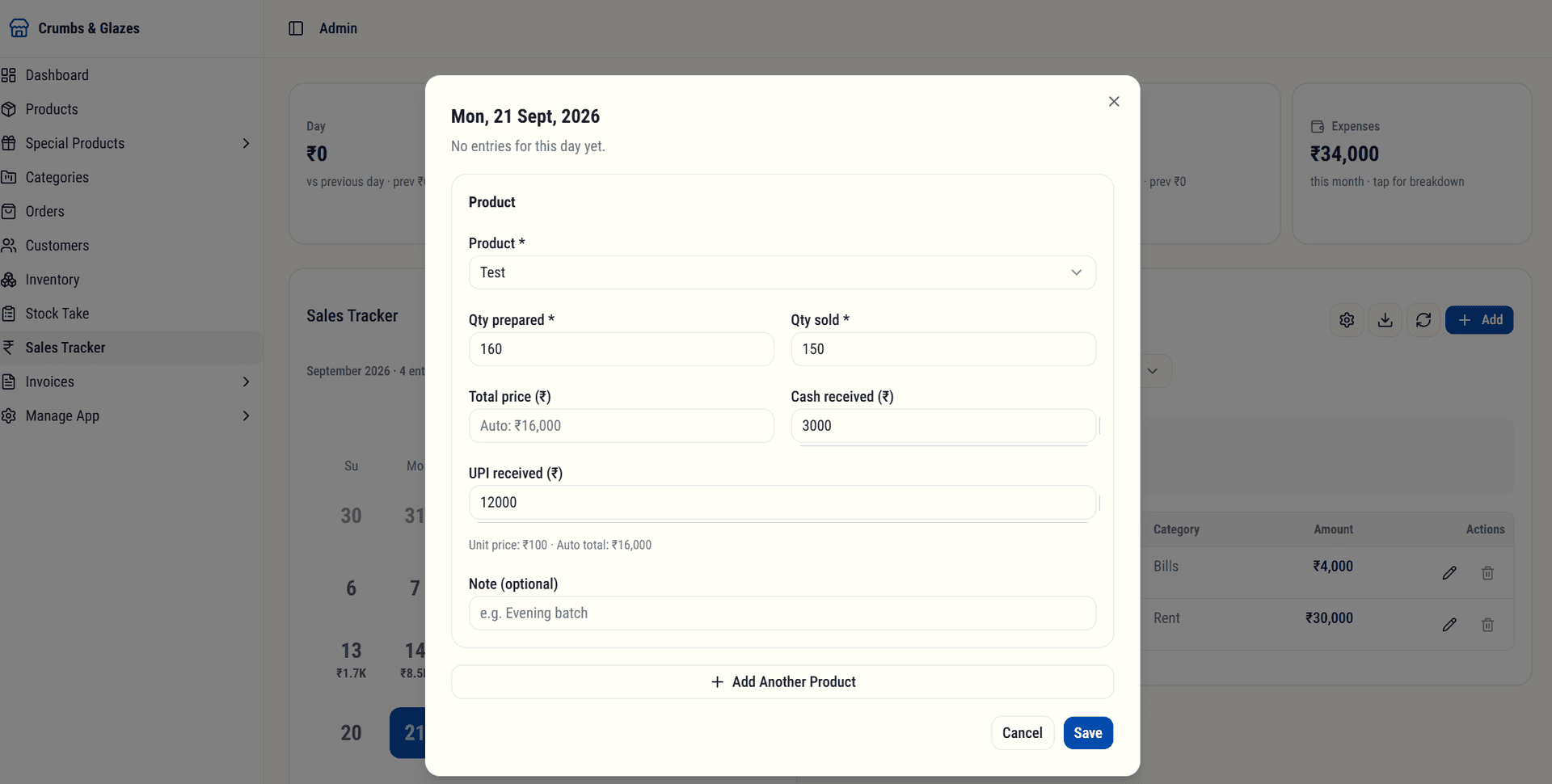
A daily sales tracker records how much of each product was prepared and sold, including cash and UPI splits. Metric cards compare the current day, week, month, and year against the previous period, and tapping a metric opens trend line charts. Monthly expenses across categories like rent and bills are tracked alongside sales for a complete financial picture.
Stock Take
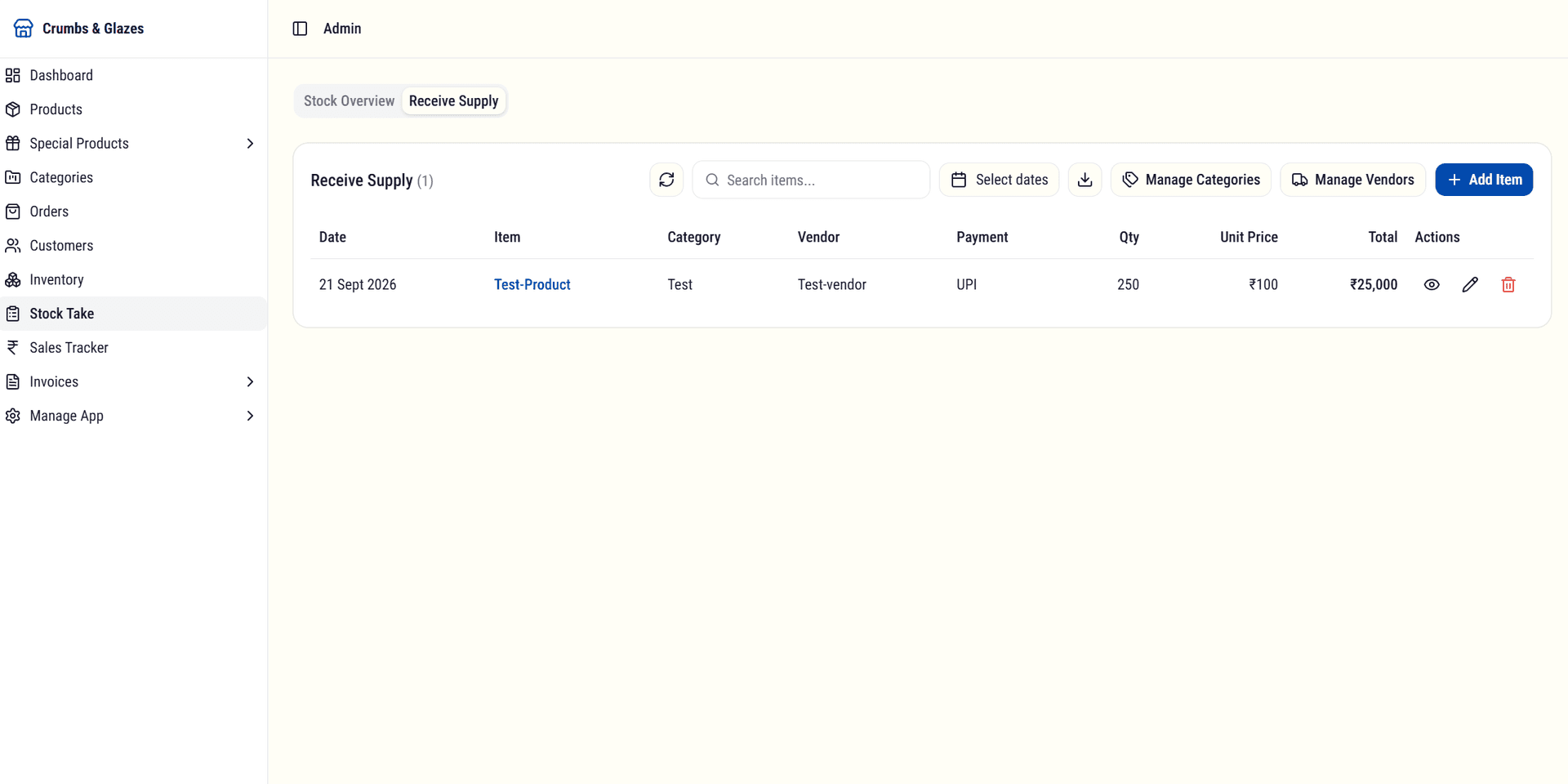
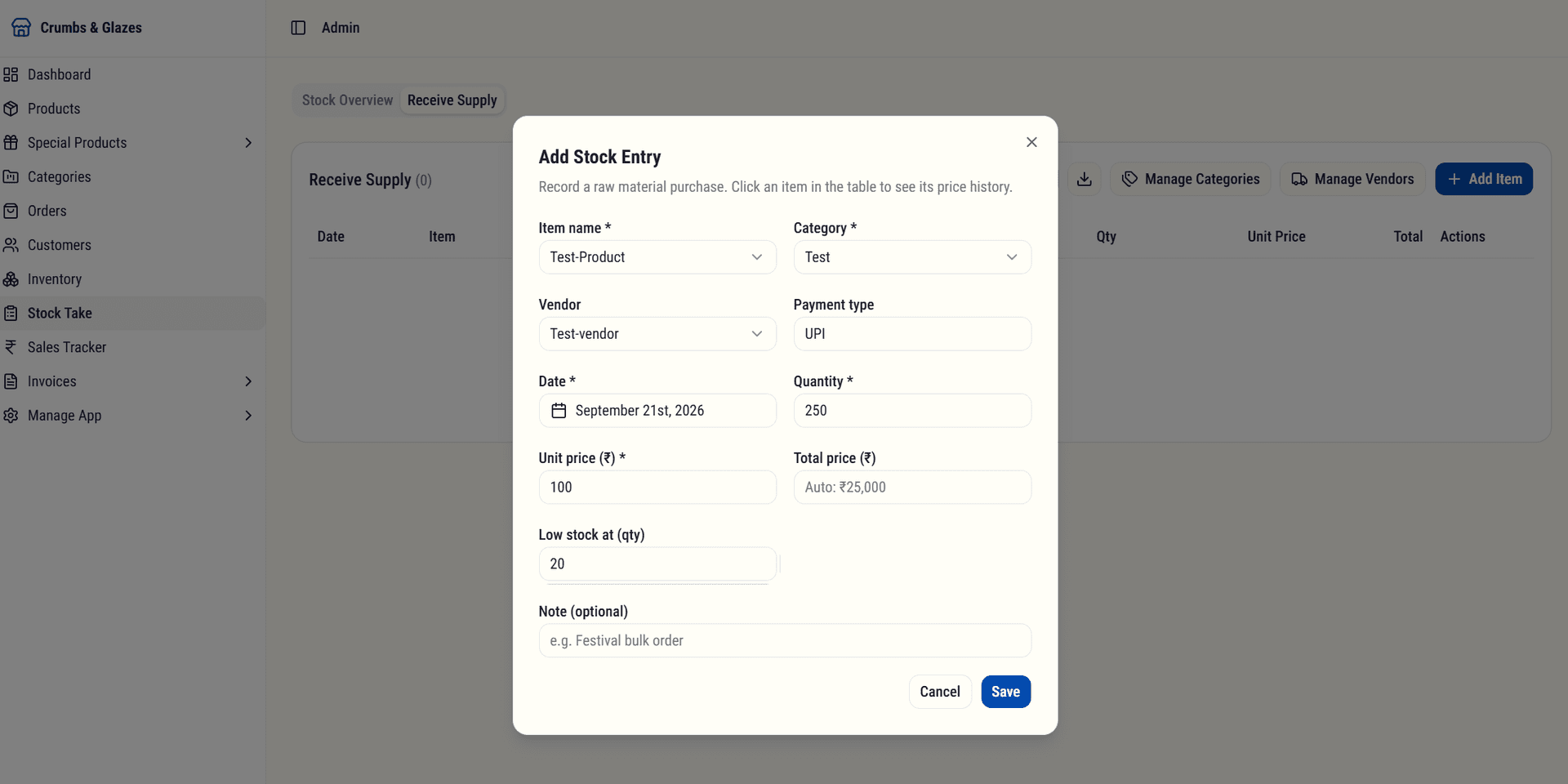
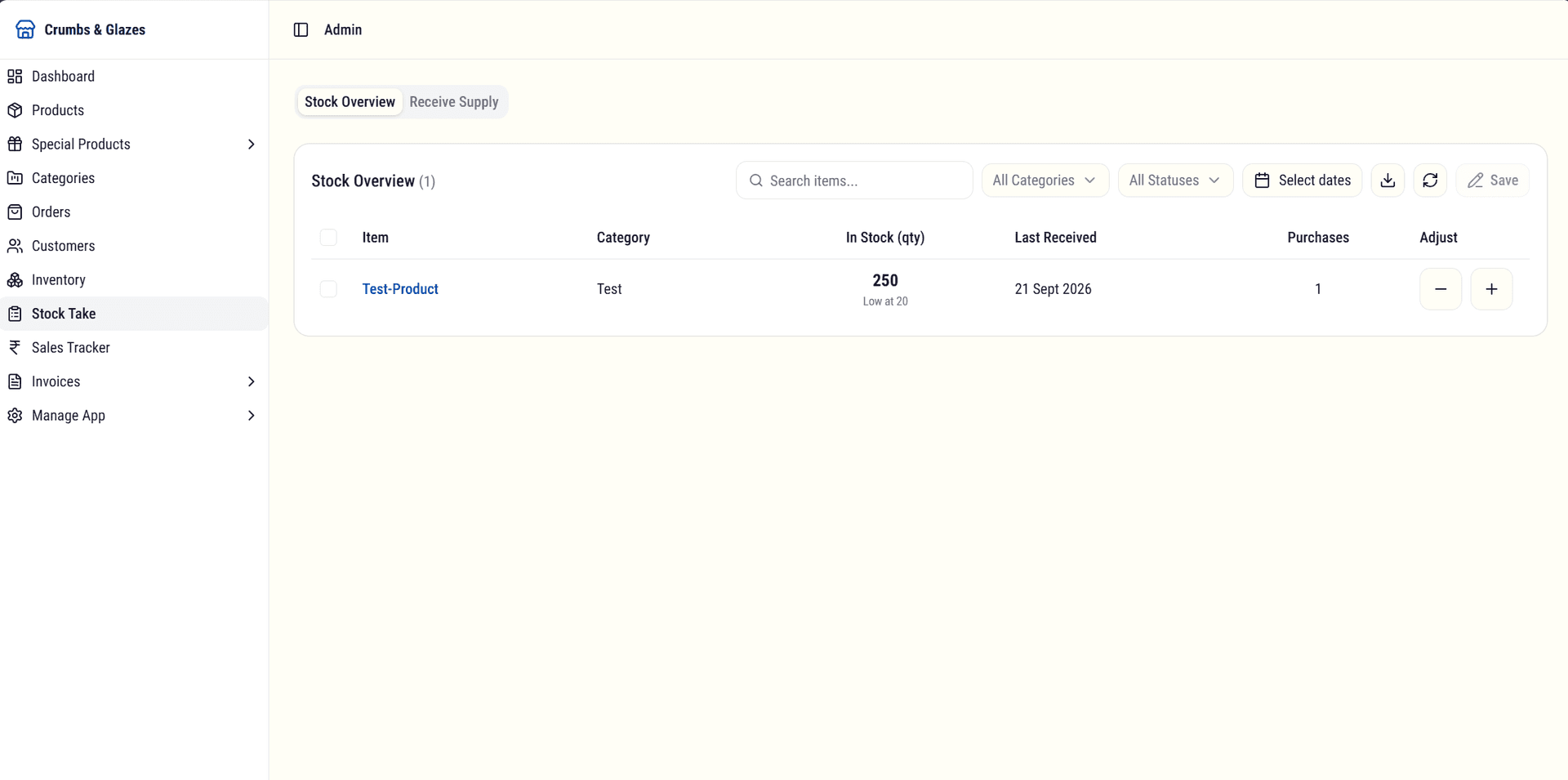
A raw material stock module where the admin creates categories and vendors, then logs an entry every time stock arrives. The stock overview shows on-hand quantity, last received date, and purchase history for each item, with low-stock alerts driven by per-item thresholds.
Product Enquiry
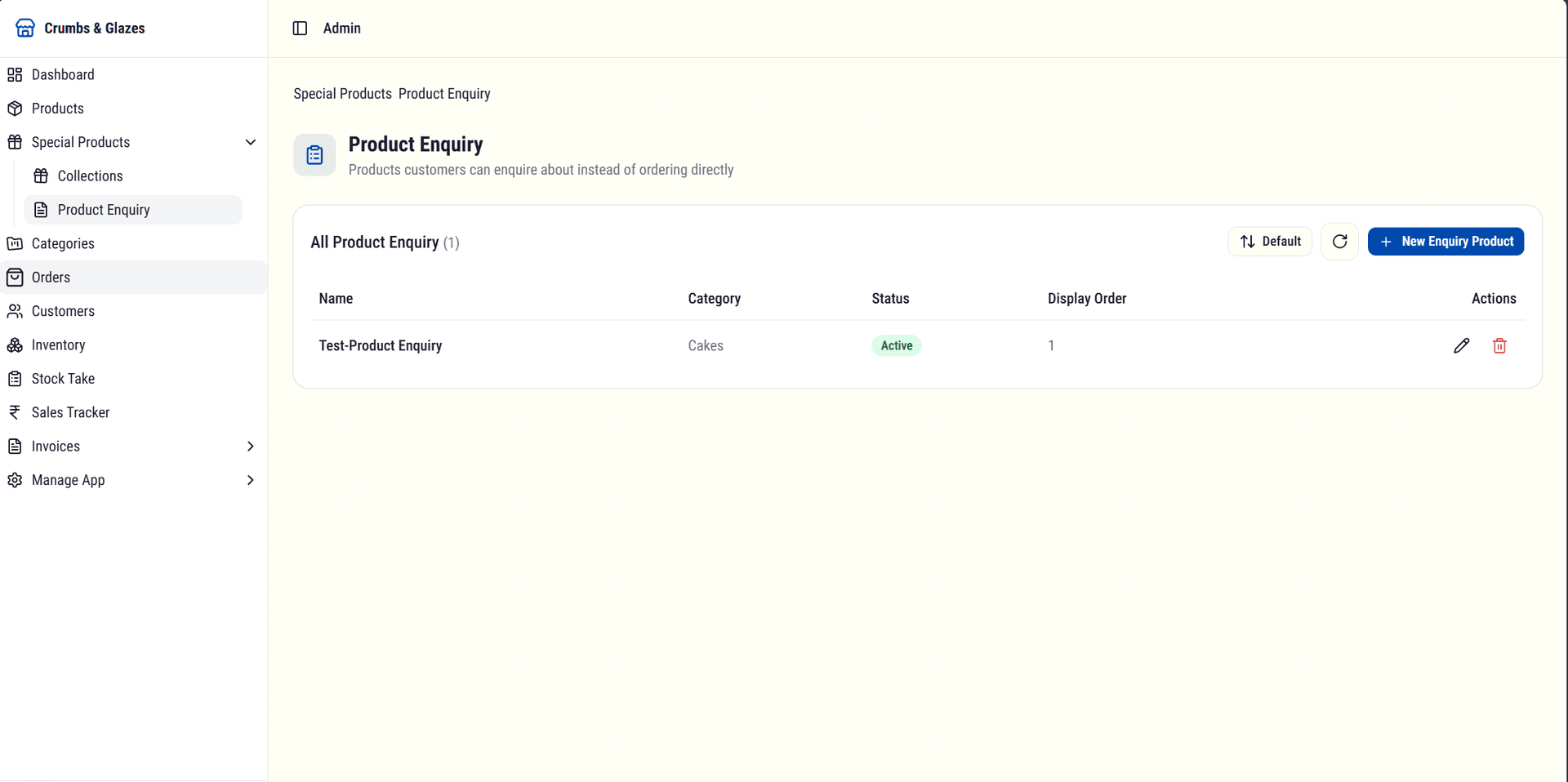
A sub-module for curated enquiry-only products such as event snack boxes. Customers send an enquiry instead of placing an order, the admin receives it directly, and these products skip invoice generation and inventory checks entirely.
Email Integration
Transactional emails were integrated using Resend to keep customers informed at every stage of their order. Two key email touchpoints were identified and implemented.
Order Placed
A confirmation email is sent immediately after an order is placed. It includes the order summary, items purchased, total amount, and expected delivery or pickup timeline. This gives customers instant reassurance that their order was received.
Order Delivered
A delivery confirmation email is sent once the order is marked as delivered. This closes the communication loop and reinforces trust in the ordering process.
Using Resend allowed for reliable email delivery with minimal setup. The email templates were designed to match the brand identity: clean, professional, and consistent with the overall visual language of the platform.
Business Impact
Improved Brand Positioning
The business now presents itself as a premium dessert brand rather than a social-media-only seller.
Better Customer Self-Service
Customers can independently access product info, pricing, and ordering instructions without initiating a conversation.
Reduced Operational Friction
The structured ordering experience significantly reduces repetitive conversations and manual clarification.
Stronger Customer Confidence
Through storytelling, transparency, and professional presentation, customers gain greater confidence before ordering.
Centralized Store Management
The admin dashboard consolidates product, order, inventory, and invoice management into a single interface, eliminating fragmented workflows across multiple tools.
Automated Customer Communication
Transactional emails for order confirmation and delivery keep customers informed without manual follow-up, improving professionalism and trust.
Key Takeaways
The most effective products are not always the most complex. They are the ones that solve real business problems while fitting naturally into existing workflows.
By combining branding, product design, frontend engineering, and business thinking, I was able to deliver a solution that balances customer experience, operational practicality, and long-term scalability.
What started as a product showcase evolved into a full commerce platform with admin controls, order management, inventory tracking, invoice generation, and automated customer communication, all built to grow with the business.